Batch-convert placed images to any format or color space, sharpen them, run Photoshop actions and relink everything automatically. One click, no manual work.
One document. Fifty images. Formats and color modes all over the place.
Images arrive in a mix of formats and color modes. Your workflow needs TIFF, RGB and a consistent naming convention. Fixing links by hand means opening, converting, saving and relinking every single one.
Without LinkRecaster
Open each file, convert, save, go back to InDesign, relink. Repeat. Miss one, and it shows up at preflight.
With LinkRecaster
Select InDesign documents, choose what should change, click once. The images are converted and relinked for you.
Everything you need to recast a link.
Format, color, sharpness and naming, handled in one pass.
Convert formats
Turn placed images into TIFF, JPEG, PSD, PNG and other formats your workflow requires.
Convert colors
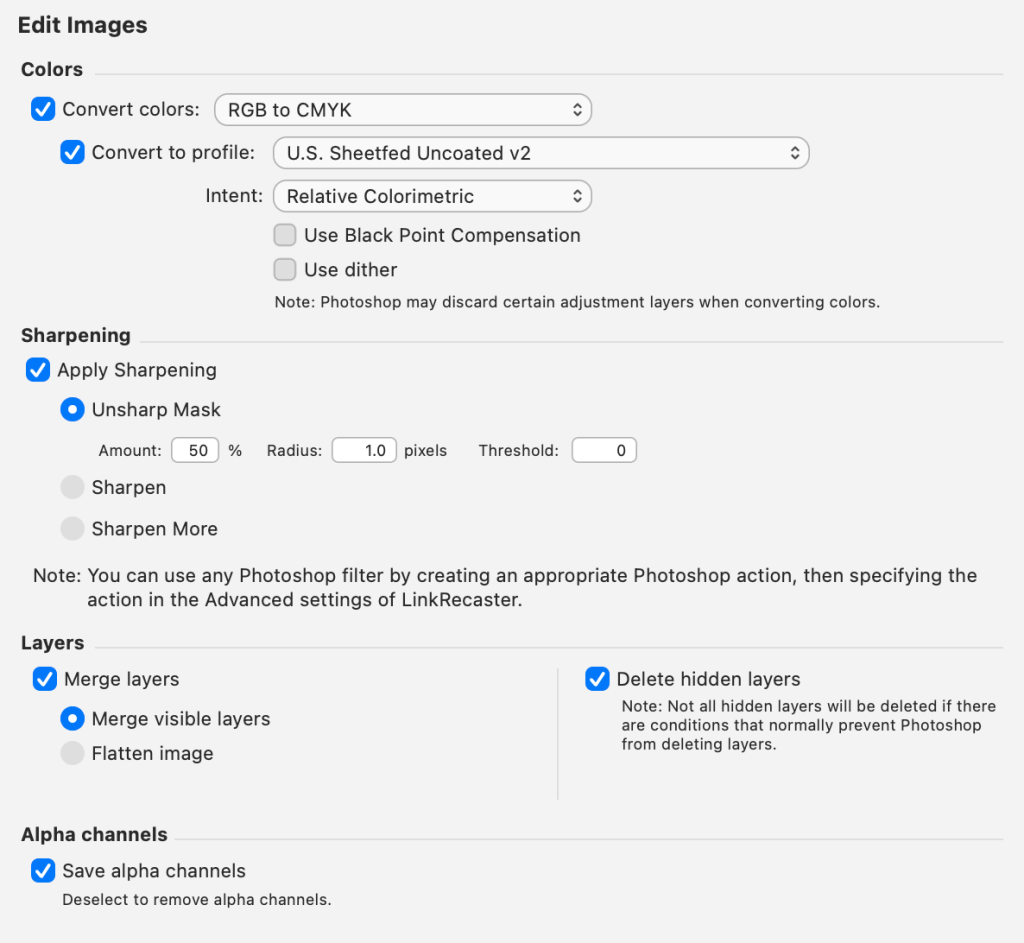
Move between RGB, CMYK and Gray using the profiles you choose.
Sharpen
Apply sharpening as part of the conversion, so there’s no separate pass.
Merge layers
Flatten or merge layers and delete hidden ones for smaller files and no leftover content.
Run Photoshop actions
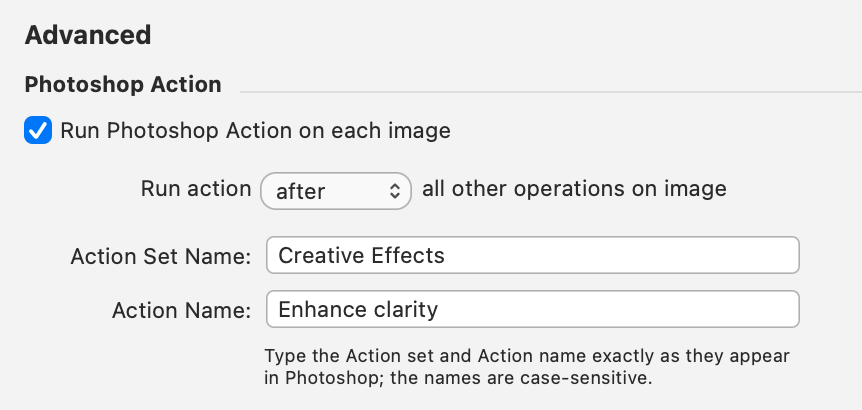
Apply Photoshop actions to every image for processing beyond the built-in options.
Rename links
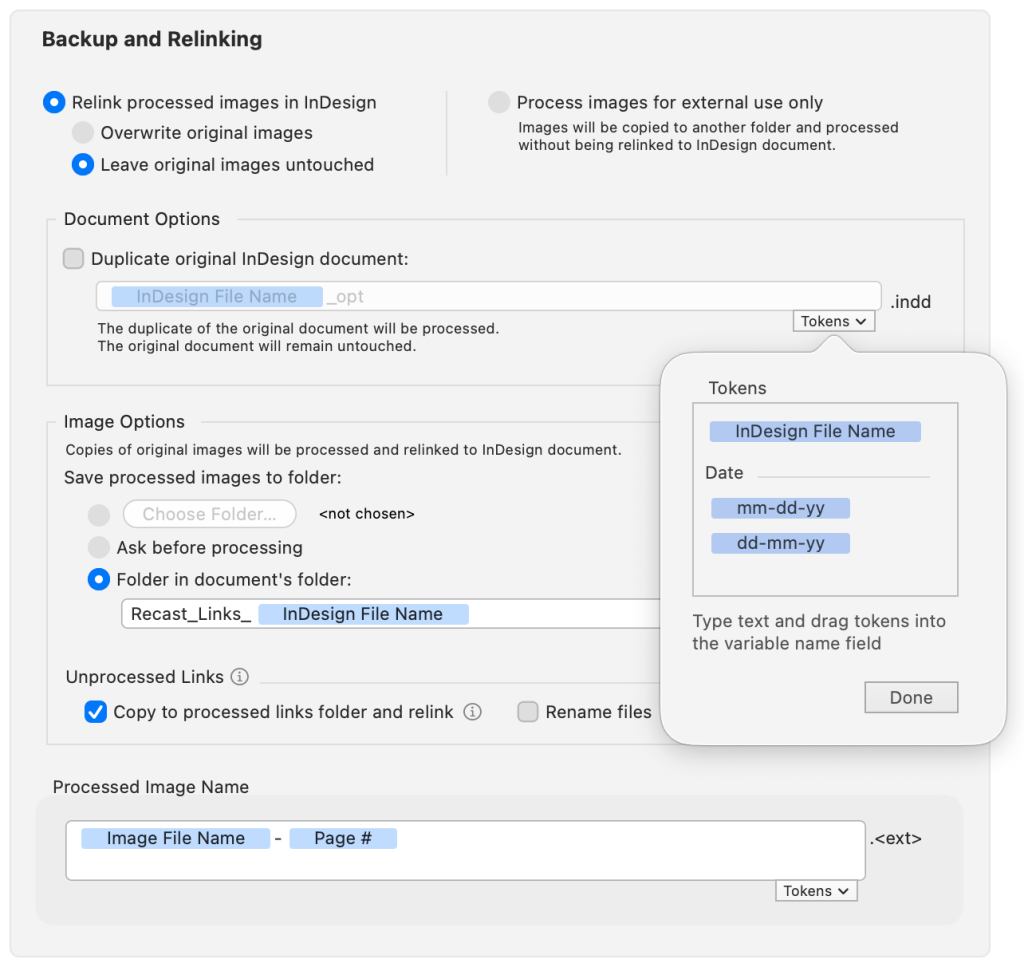
Apply a naming scheme to converted files, using variables for flexible, consistent names.
Three steps. Relinked for you.
LinkRecaster processes the files in Photoshop, writes the new versions and relinks them in your InDesign document.
1
Select InDesign files
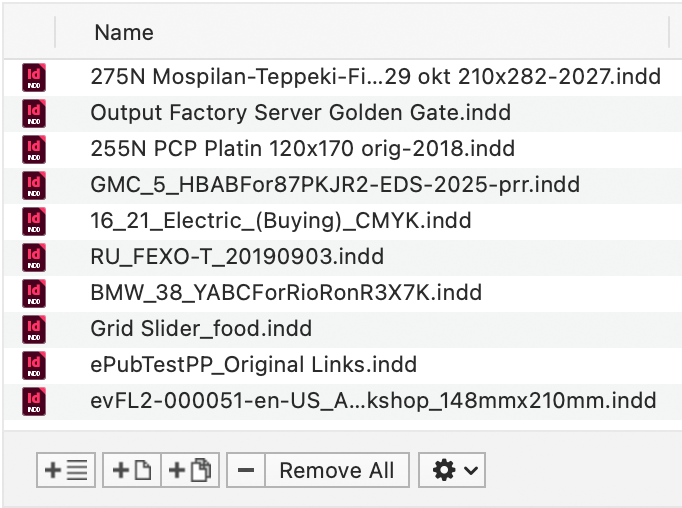
Add one InDesign file or dozens. LinkRecaster works through the whole queue for you.
2
Choose what changes
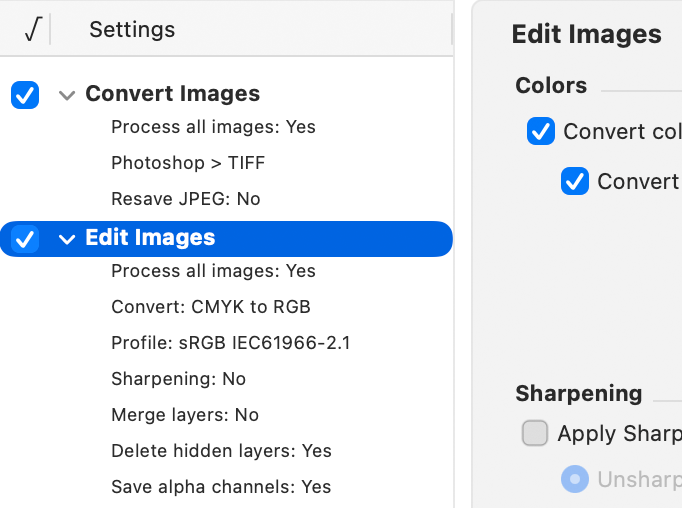
File format, color space, sharpening, layers, actions, names.
3
Recast
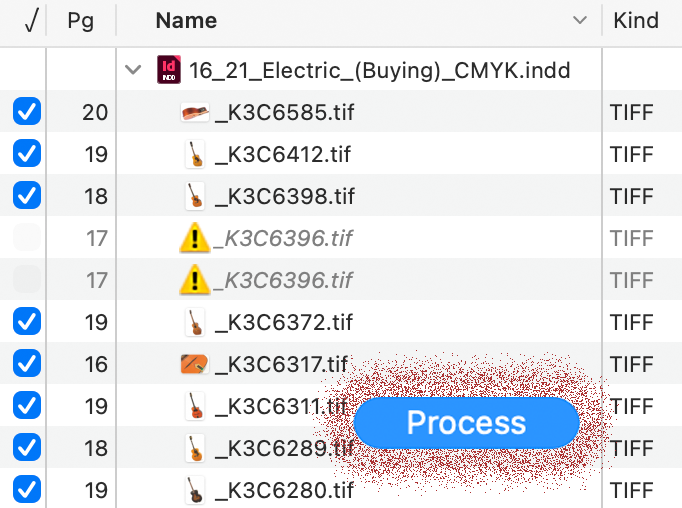
One click. Every selected link is converted and relinked.
Your layout stays exactly where you put it.
No resampling, no scaling, no surprises. Only the properties you choose are changed.
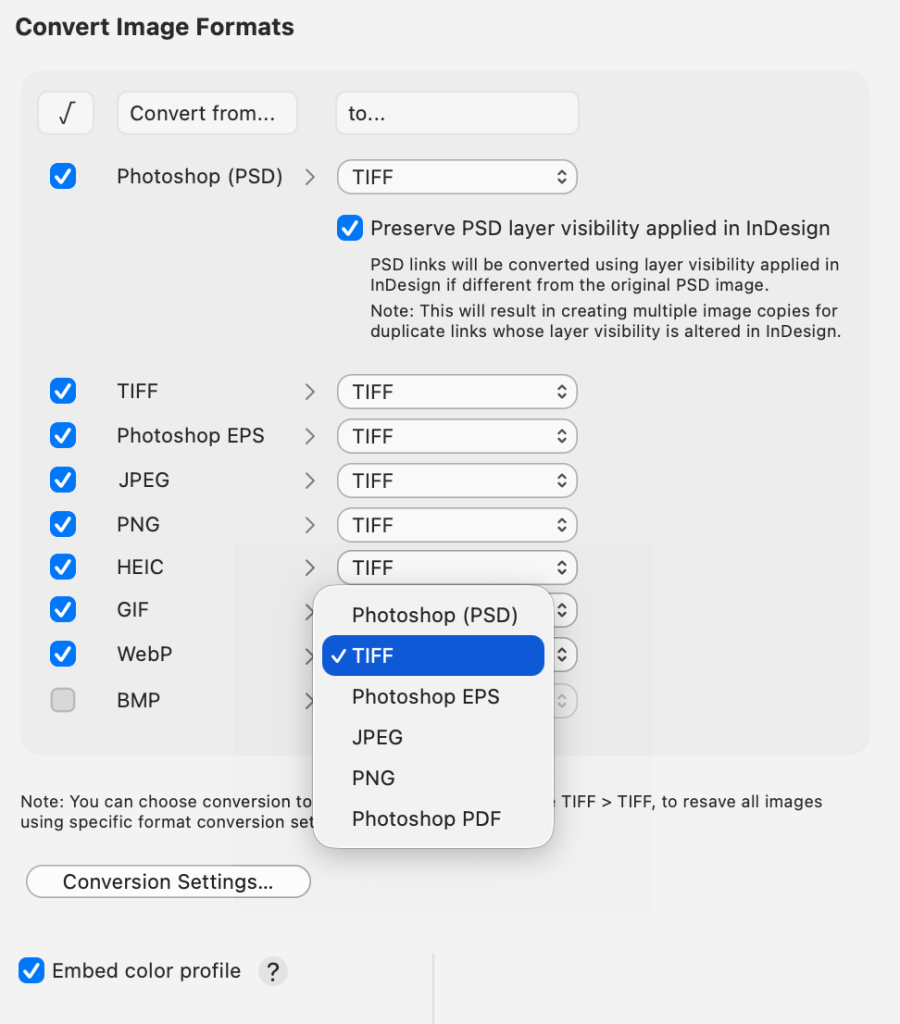
Bring every linked image to the format your workflow needs, whether that’s JPEG to TIFF, PNG to PSD or another combination. Set conversion options for each format, such as LZW compression for TIFF, and the links in your document update automatically.
Converting a layered PSD? LinkRecaster keeps the layer visibility you chose in InDesign, so the converted file shows the same layers you see in your layout.
Tune color, sharpness and layers across every image.
Make the same edits once instead of repeating them file by file. Bring images from different sources to one standard, converting between RGB, CMYK and grayscale with the ICC profile of your choice.
Sharpen with Photoshop filters, and let LinkRecaster handle the layer housekeeping: merge or flatten layers and clear out hidden ones, so files carry no dead weight.
Run Photoshop actions
Apply Photoshop actions to every image for processing beyond the built-in options.
Every link renamed, every file sorted, every asset collected, automatically.
Whether your images are headed for your document’s final output or for the web, LinkRecaster adapts to the job. Relink the converted files in InDesign, replacing the originals or keeping them alongside, or save converted copies for other uses. Then gather every asset, including PDFs and Illustrator files that needed no processing, into a single folder.
Name processed files with variables such as color mode, page number, or timestamp, mixed with your own text. Documents and folders can use variables too.
Which versions of InDesign and macOS are supported?
InDesign CC 2018 — 2027, macOS 12 — 27 (Golden Gate). LinkRecaster will also be updated as newer versions are released.
Can I use my own Photoshop actions?
Yes. LinkRecaster can run Photoshop actions available in your Photoshop installation.
Does LinkRecaster change image dimensions or resolution?
No. LinkRecaster leaves image dimensions and resolution unchanged. For that, see LinkOptimizer, which includes all of LinkRecaster’s features and adds dimension and resolution control.
Can I resave images in the same format with different settings?
Yes. Conversion settings are defined for each format, so you can convert images to the same format with different settings. For example, resave TIFF links as TIFF with LZW compression to save disk space. LinkRecaster opens each image in Photoshop, saves it with the new settings and updates the link in your document.
Is there a Windows version?
LinkRecaster only supports macOS. If you’d like to see a Windows version, please contact us. Feedback from users helps us decide what to develop next.