BatchOutput Office Suite
for Microsoft Office
Batch print & PDF export from Office
Automate print and PDF production from Microsoft Word, Excel & PowerPoint • Variable file names • Single pages • PDF security and more
Microsoft 365 / Office 2019 and later
macOS 10.9 – 27 (Golden Gate)
In brief:
BatchOutput Office apps can currently experience problems on macOS 27 due to certain bugs introduced by Apple. We expect to address this by the mid-October. Please check this page or use the Check for Updates menu in your app for updates. With any questions, please contact us.
Additional details:
Please note that, as with any major macOS upgrade, it may take several months until it’s ready for real-world production workflows. We recommend to use macOS 27 installations for testing only.
You can install macOS 27 alongside another macOS version on the same machine by installing it on a separate volume of your hard drive, which can be created using Disk Utility.
Batch print and export professional PDFs from Microsoft Word, Excel, and PowerPoint — automatically. The only dedicated output automation suite for Office on Mac, BatchOutput lets you queue dozens of files, apply advanced PDF settings, and walk away while it does the work.
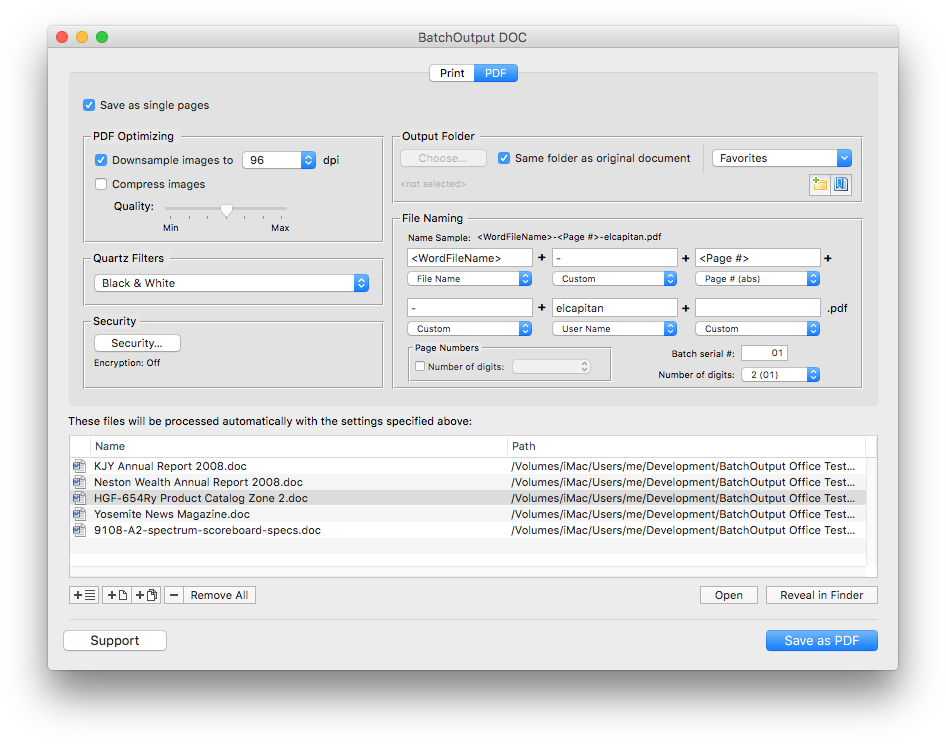
BatchOutput Office Suite offers powerful professional PDF output options to Microsoft users. Just select your files and adjust output settings, and BatchOutput will do the rest automatically. For example, you can leave BatchOutput to process hundreds of Word files overnight and pick up the completed job next morning.
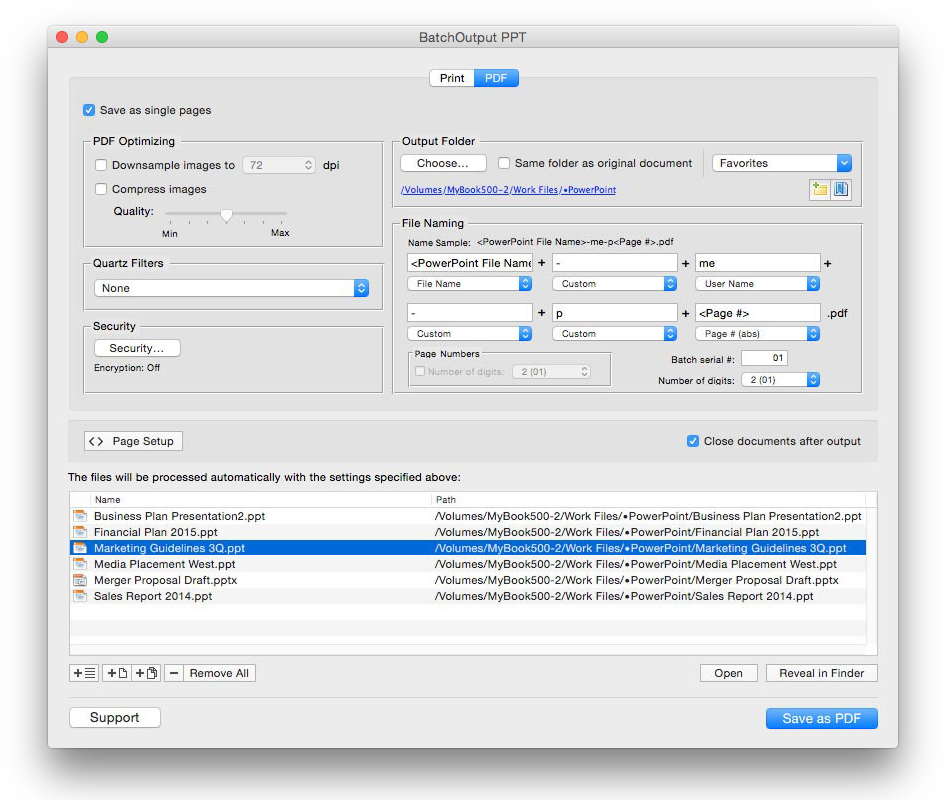
BatchOutput Office is a suite of three apps: BatchOutput DOC, BatchOutput XLS, and BatchOutput PPT for Microsoft Word, Excel, and PowerPoint respectively.
Batch print and export to PDF
Print and export multiple files to PDF from Microsoft Word, Excel and PowerPoint with just a click of a button. Save many hours of unproductive manual output.
Time-saving professional PDF export options
Save as single pages
Variable PDF file names
Name PDF files automatically using variables such as page number, user name, current date and other attributes.
Optimize PDF size and resolution
Reduce PDF size dramatically and optimize PDF for web, print, and on-screen viewing using BatchOutput’s precise controls. You can also apply versatile Quartz filters to change PDF color tone, brightness and other qualities.
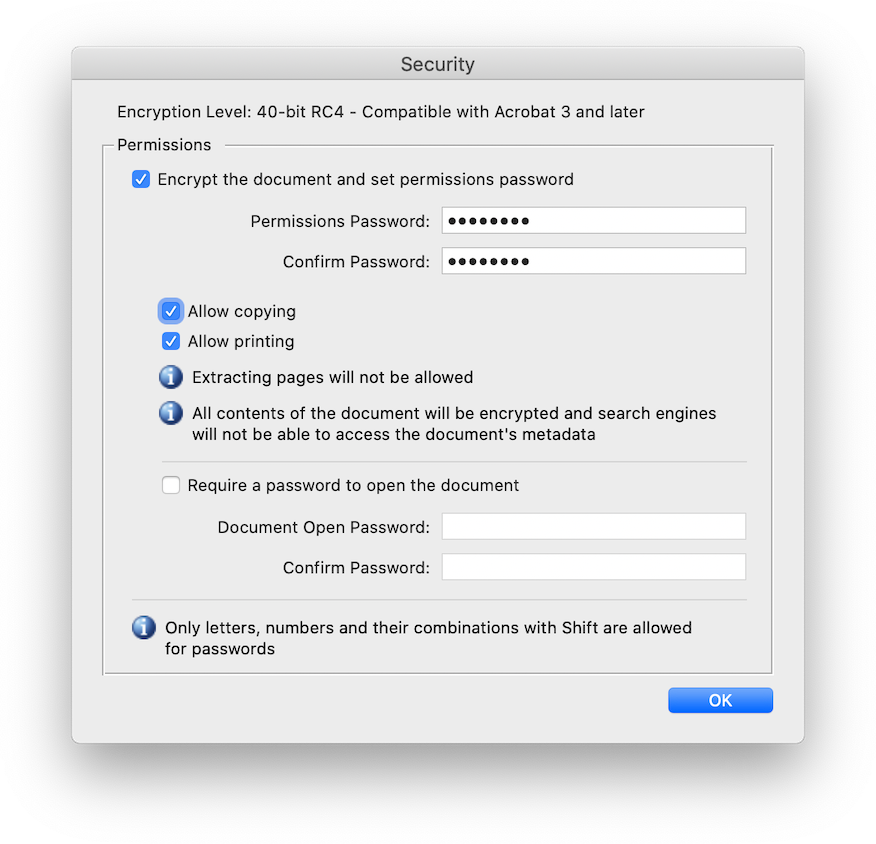
Protect and encrypt PDF files
Automate Office printing tasks
Hands-free printing
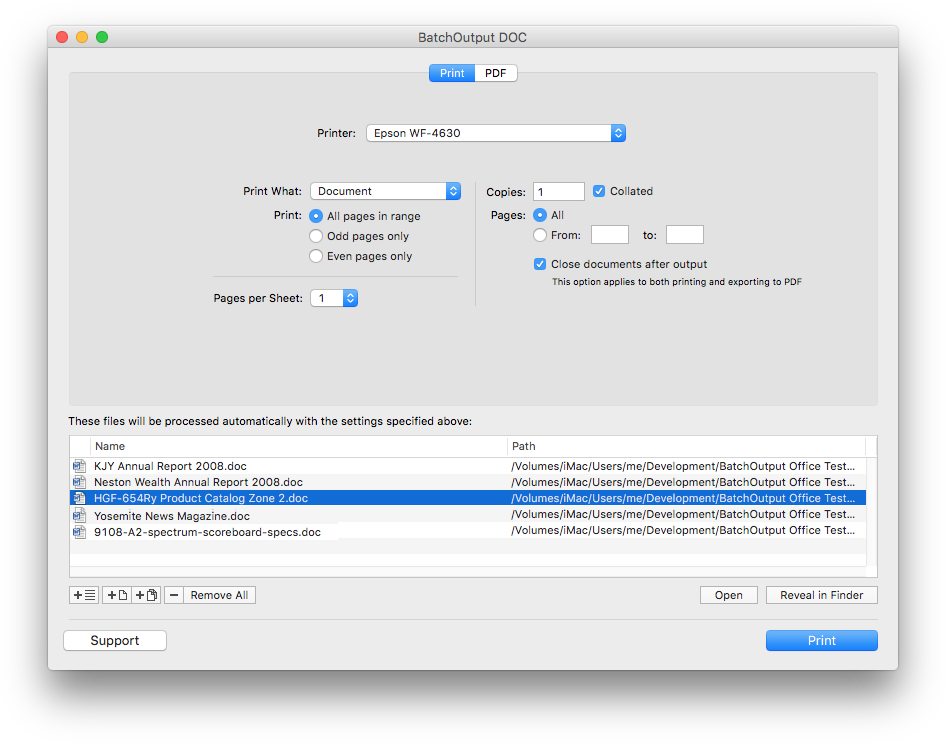
Output hundreds of Office documents with a click of a button. Just add files to the queue, adjust settings and press Print.
BatchOutput Office Suite
for Microsoft Word, Excel & PowerPoint-
Suite discount: Get all three apps for the price of two
purchase options
You can purchase each app separately – or order all three as a bundle at 33% discount.
word
BatchOutput DOC
for Microsoft Word
One-time payment
- Automate printing & PDF production from Word
excel
BatchOutput XLS
for Microsoft Excel
One-time payment
- Automate printing & PDF production from Excel
powerpoint
BatchOutput PPT
for Microsoft PowerPoint
One-time payment
- Automate printing & PDF production from PowerPoint
office suite
SAVE 33%
BatchOutput Office Suite
for Microsoft Word, Excel & PowerPoint
One-time payment
- BatchOutput DOC for Microsoft Word
- BatchOutput XLS for Microsoft Excel
- BatchOutput PPT for Microsoft PowerPoint