
BatchOutput PDF
Automate PDF printing with hot folders
Save time and eliminate tedious repetitive tasks

macOS 10.9 – 27 (Golden Gate)
BatchOutput PDF 3: macOS 10.13 – 27.x | Native Intel/Silicon support
BatchOutput PDF 2: macOS 10.9 – 13.x | Silicon compatible
To use with macOS 14 and later, please upgrade to BatchOutput PDF 3 or BatchOutput PDF Server 3
new version
BatchOutput PDF 3
New in BatchOutput PDF 3:
- Page slugs based on variable tokens
- Print PDFs in specific order using new Manual mode
- Improved UI
By upgrading, you also ensure access to further new features and improvements
that will continue to be added in free updates.
For users who purchased BatchOutput PDF on the App Store:
Unfortunately, Apple does not provide an option to upgrade to a new version at a discount via the App Store.
If you wish to upgrade your App Store version at a 50% discount to a non-App Store version of BatchOutput PDF 3, please contact us for upgrade instructions.
If you wish to stay with the App Store version, you’ll need to purchase the app on the App Store: purchase BatchOutput PDF 3 or purchase BatchOutput PDF Server 3. With any questions, please contact us.

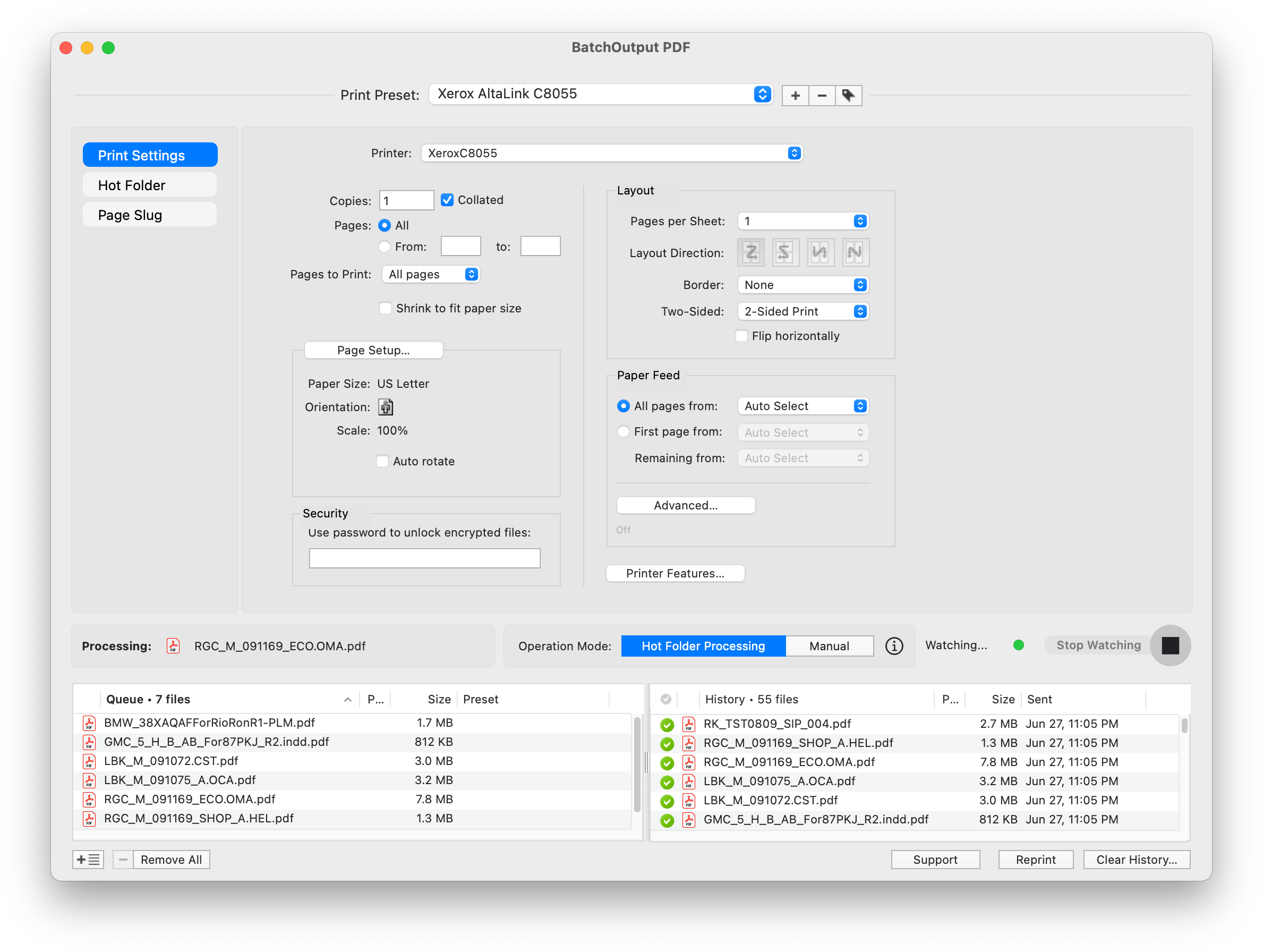
Stop opening and printing PDFs one by one. BatchOutput PDF is the only consumer-grade tool that automates PDF printing on Mac — just drop files into watched hot folders (or use Manual mode) and it handles the rest in the background while you keep working.
- Print PDFs automatically from watched hot folders
- Add page slugs based on variable tokens
- Manual mode to print PDFs in specific order
- Save time & effort by eliminating repetitive tasks
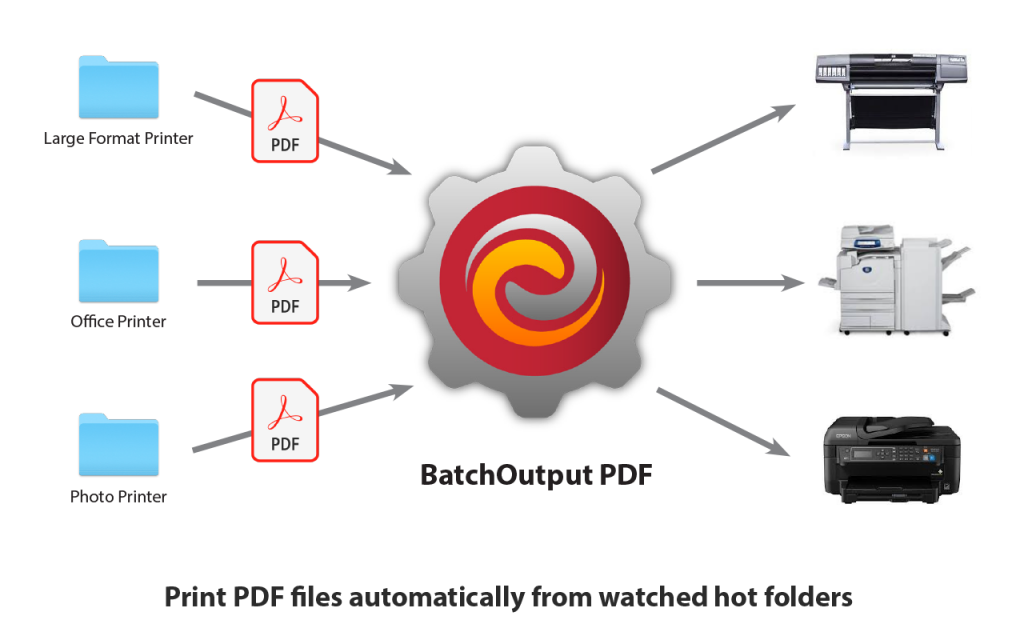
- Print PDFs automatically from watched hot folders
-
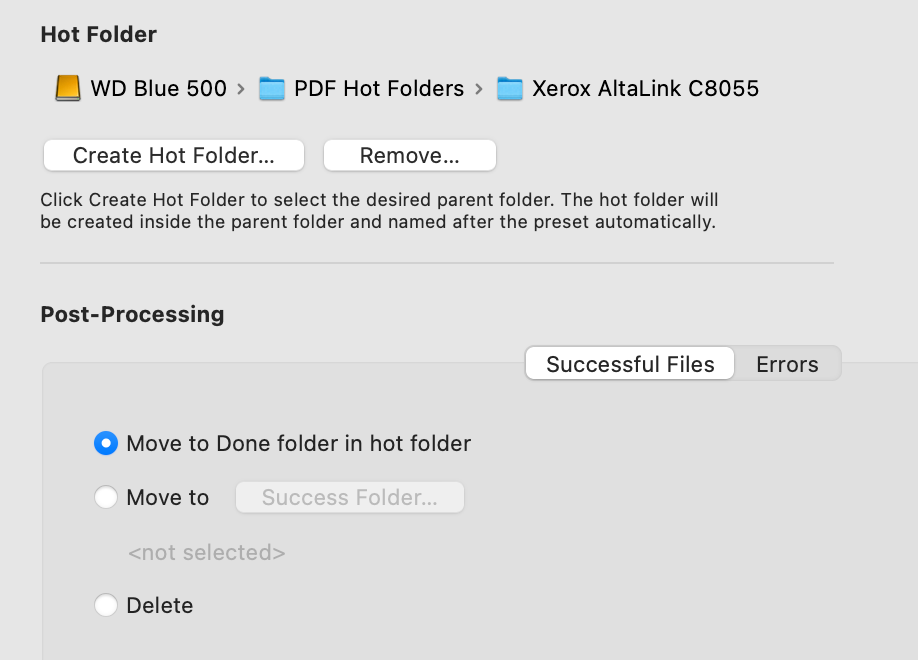
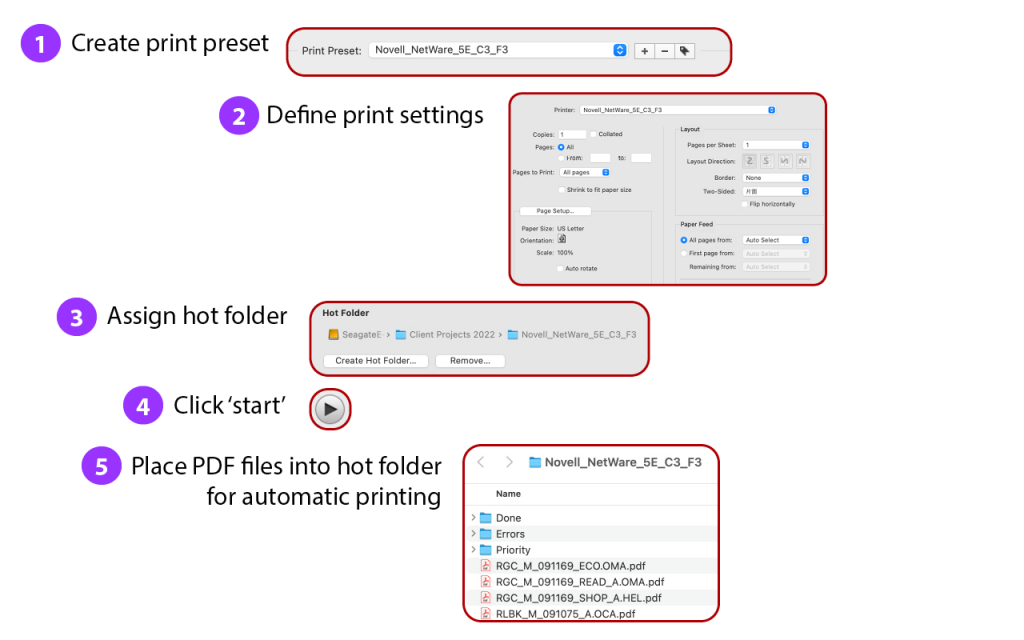
Create hot folders for various printing settings
(for example: Color printer, Tabloid at 100%; B&W printer, A4, shrink to fit etc.) - Serve unlimited users on a network (BatchOutput PDF Server only)
- Move files to success and error folders after printing
- Track all your printed files in History
- Work with other programs while BatchOutput PDF prints in the background
- Save time and hassle of printing each PDF manually
Print PDFs automatically from watched hot folders
Create hot folders for various printing settings
(for example: Color printer, Tabloid at 100%; B&W printer, A4 etc.) Then just drop your files there and the app will print them automatically. Save time and hassle of printing each PDF manually!
And with BatchOutput PDF Server you can serve unlimited users on a network with a single BatchOutput PDF installation.
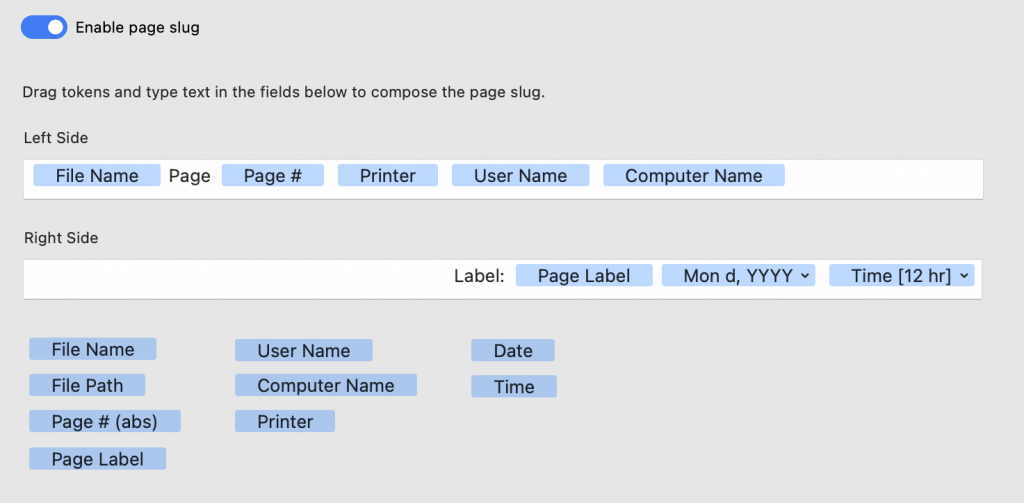
Add page slugs
Add customizable page slugs based on variable data such as file name, print time, printer name and more. Specify separate slug contents for the left and right sides of the printout.
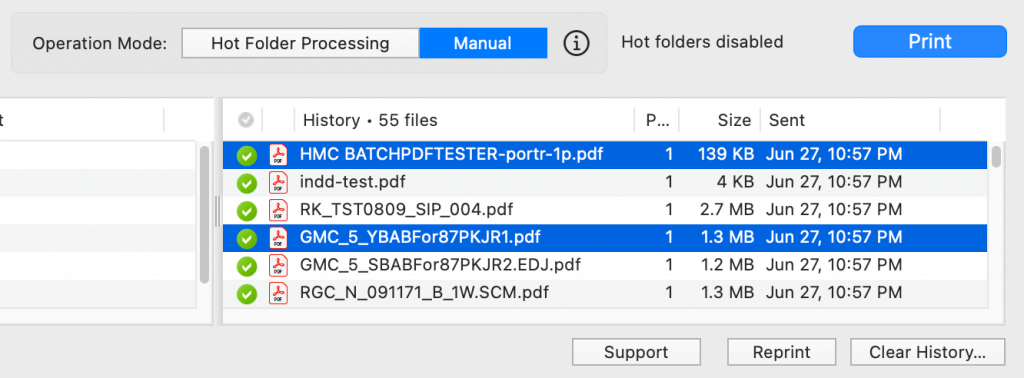
Manual mode for simplified automation
Sometimes hot folder management can be an overkill for simple tasks. With the Manual mode, you can simply drop the desired files on BatchOutput PDF and print them with the selected print preset.
The Manual mode also allows you to print PDFs sorted by file name.
Serve unlimited users with the Server version
A license of BatchOutput PDF Server enables you to serve unlimited users on a network with a single installation of the app.
The Server license grants you the ability to create hot folders on network volumes, allowing operators to submit PDF files from any machine connected to the network, regardless of the platform they are using.
for single users
BatchOutput PDF
One-time payment
- Automate PDF printing with hot folders.
- Create output presets, assign page slugs, use other powerful options.
Designed to serve a user on a single Mac station. The app cannot use hot folders located on network volumes.
for workgroups
BatchOutput PDF Server
One-time payment
All features of BatchOutput PDF, plus:
- Serve unlimited users on a network with a single copy of BatchOutput PDF Server.
- Create hot folders on network volumes. The Server version will process PDFs submitted by users across your entire network.
OTHER UPGRADES
To Output Factory Lite 3 from earlier versions
To Output Factory from Output Factory Lite
BatchOutput PDF > BatchOutput PDF Server | $75
