



Output Factory
Automate printing and exporting from Adobe InDesign |
|||||||
![]() |
|||||||
|
Buy: $169.95 |
|||||||
| Automate InDesign's printing and exporting | |||||||
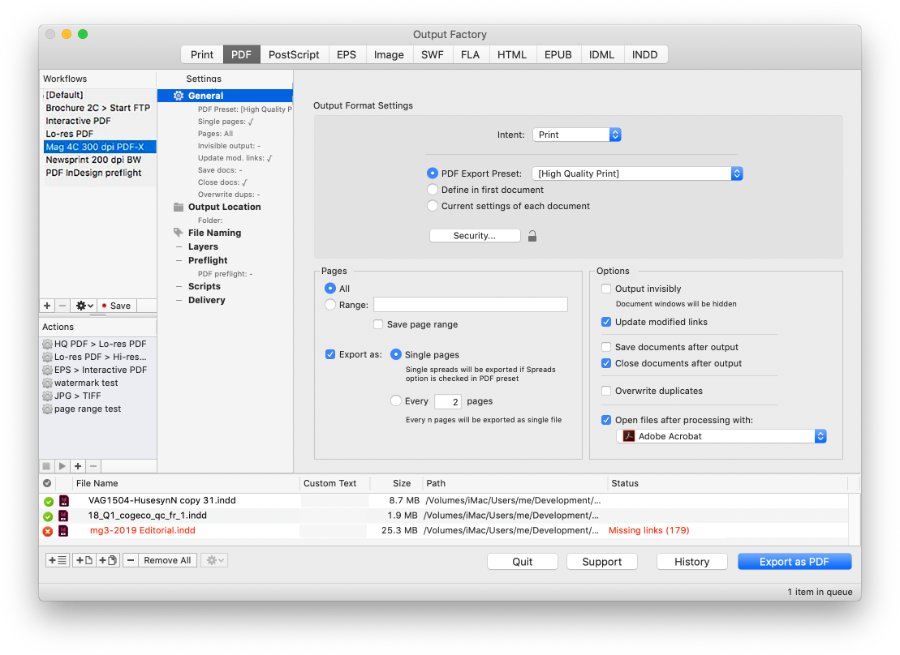
| Output Factory is the ultimate solution to automate InDesign's output tasks - whether you need to send hundreds of documents or just a single one. With just a click of a button you can activate batch printing, layer versioning, automatic preflighting, variable names and much more! Just add InDesign files, select output options and Output Factory will do the rest for you. | |||||||
|
Upgrade from BatchOutput Output Factory is the new major version of BatchOutput, which introduces an array of new powerful features. BatchOutput users can upgrade to Output Factory here. |
|
KEY FEATURES |
|
| Batch processing and multitasking | |
| Output multiple InDesign documents in the background while keeping working with other programs. Or let Output Factory work while you're on a lunch break. Or leave it working overnight to output hundreds of files - and the job will be done when you return in the morning. | |
Powerful output options Export InDesign documents as single pages. Update links automatically. Output files invisibly, accelerating the output dramatically. These are only a few of available options to streamline and simplify your everyday production workflow. |
|
| All the formats you need | |
| Output Factory supports printing and exporting to PDF, PostScript, EPS, Flash, IDML, HTML, EPUB, INDD and several image formats. [Output Factory Light supports Print, PDF and PostScript only] |
|
| Workflows | |
| Save groups of Output Factory settings as workflows. For example, create workflows for hi-res and lo-res PDF output, laser printing, CMYK TIFF with FTP delivery etc. Export and import workflows to share them across workgroups. | |
| Actions | |
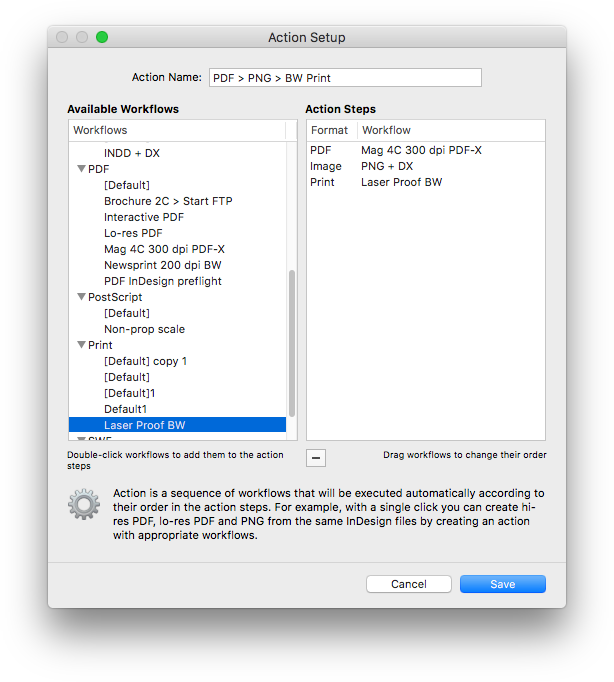
| Create sequences of workflows to output InDesign files to multiple formats at once. For example, create an action to export files as hi-res PDF, lo-res PDF, PNG, and send them to a laser printer - all with just a click of a button. | |
| Variable file names | |
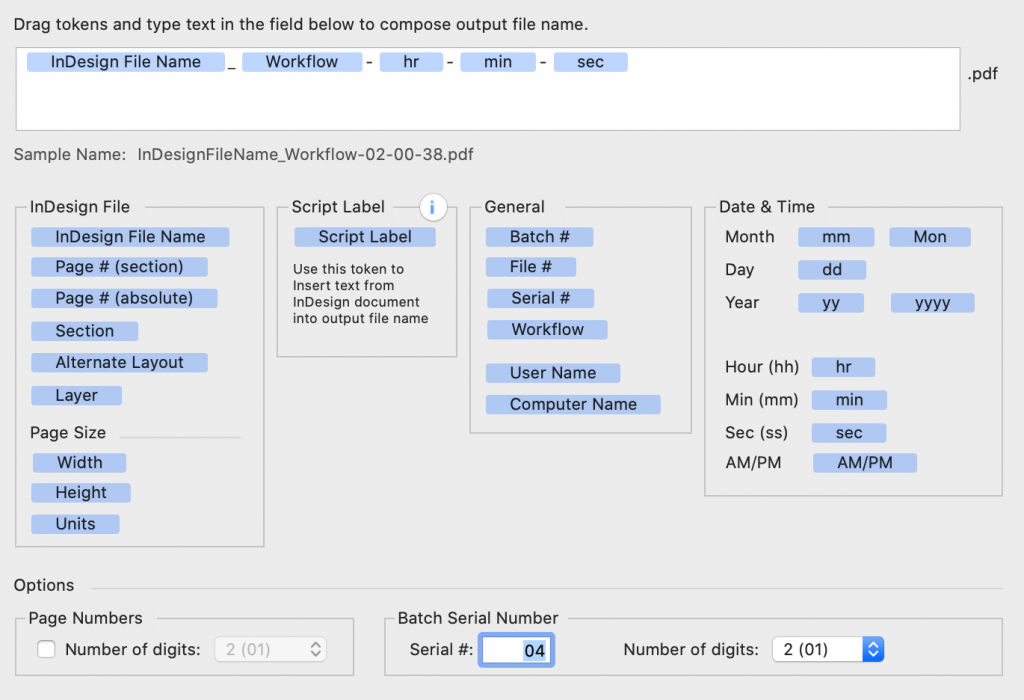
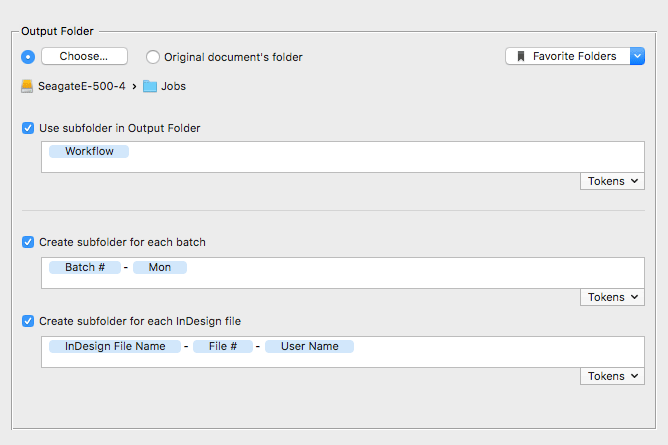
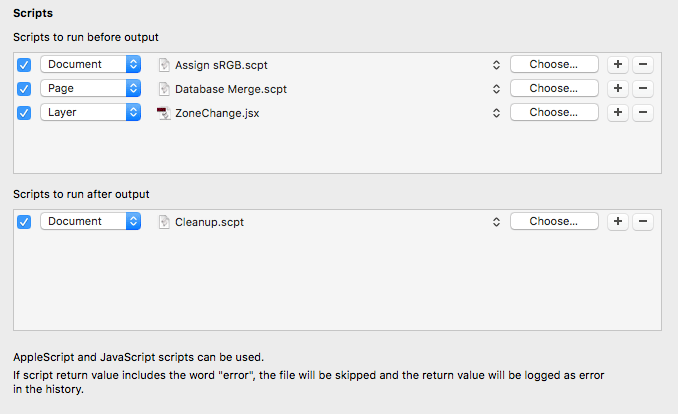
| Output Factory offers unmatched abilities to create variable output file names. Compose file names interactively using powerful tokens with unlimited name parts. You can even insert dynamic content from your documents using the script label variable. | |
| Layer versioning | |
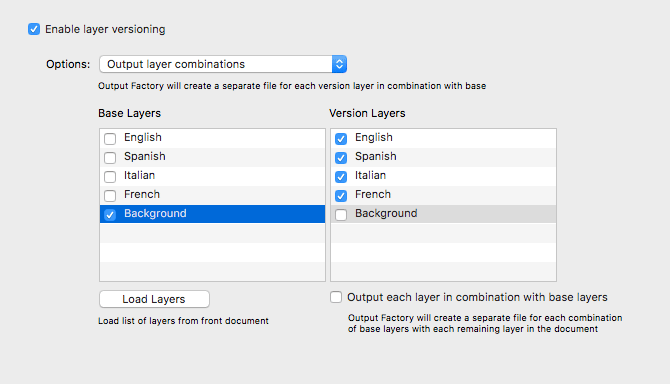
| Output InDesign layers and their combinations as separate files automatically - an indispensable feature for multilingual documents publishing and other projects with layered contents. | |
| Preflight InDesign files | |
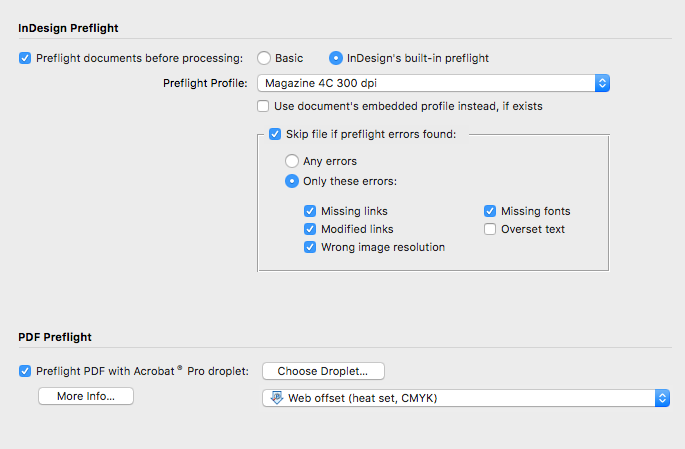
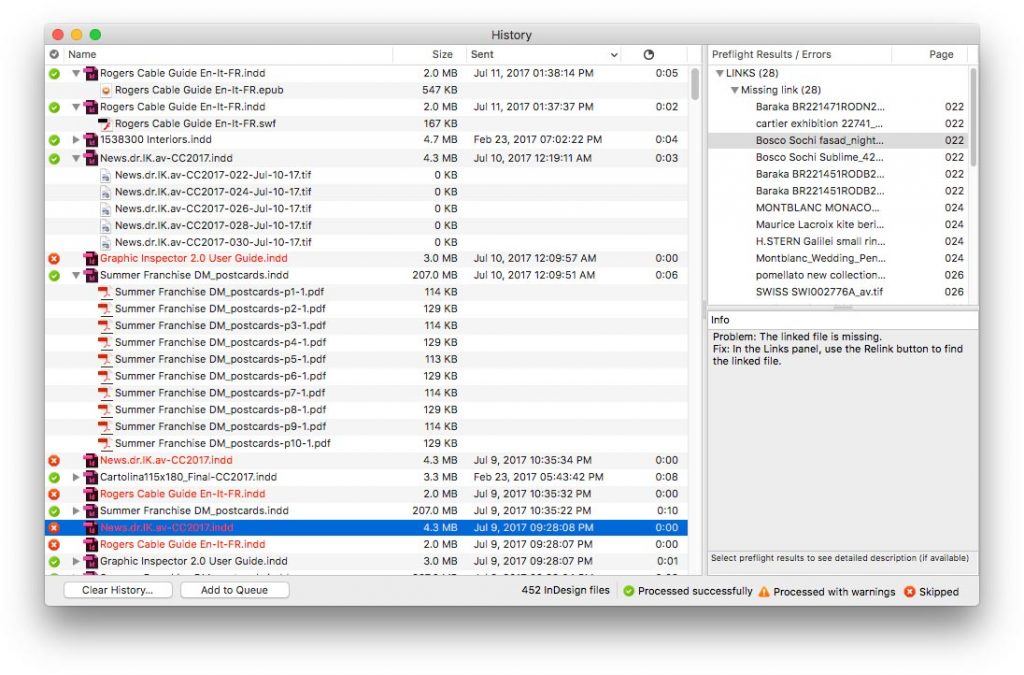
| With Output Factory, output errors are a thing of the past. Thoroughly check files using InDesign's built-in preflight or Output Factory's own options, and define conditions for skipping files. Errors will be stored in the History with their detailed description. | |
| PDF preflight | |
| Output Factory can also automatically check final PDFs using Acrobat Pro's preflight droplets, increasing your confidence in the final output even further. | |
| File delivery | |
| Need to send output files to FTP, Amazon S3, by email or locally? Output Factory can do that, too! Seamless integration with Zevrix products Deliver and Deliver Express lets you send files over the Internet and locally with email notifications, file compression, encryption and much more. | |
| History | |
| You can rely on Output Factory to track InDesign files you sent to output, any errors and warnings that occurred, as well as the output files created. The file info is stored in XML property list files so you can easily import it into your production databases if required. | |
|
WHAT'S NEW? |
|
|
Output Factory: what's new compared to BatchOutput?
• Save groups of output settings as workflows |
|
|
Output Factory vs. Output Factory Light |
|
| Output Factory Light supports Print, PDF and PostScript only (vs. 13 output formats in the full version). All other features are identical. If you purchase an Output Factory Light license, only Print, PDF and PostScript will be available once you enter your serial number. A single installer and trial is used for both versions. You can upgrade Output Factory Light to the full version at any time. All available formats will be unlocked once you enter your full version serial number. |
|
System Requirements Adobe InDesign CS3-CC [An older version compatible with PPC and Mac OS X 10.4 is available upon request]
|
|