Output Factory Server 3: InDesign CC 2018 – 2026 | macOS 10.13 – 26 [Tahoe]
Output Factory Server 2: InDesign CS6 – 2021 | macOS 10.9 – 10.15 To use with latest InDesign & macOS versions, please upgrade to Output Factory Server 3
Automate your entire team's output workflow with a single installation of Output Factory Server and LinkOptimizer Server for InDesign
Print and export InDesign files automatically from hot folders
Offload InDesign's output to a central system and free operator stations from output process
Reduce links size, optimize resolution, convert colors & formats with LinkOptimizer Server
hot folders
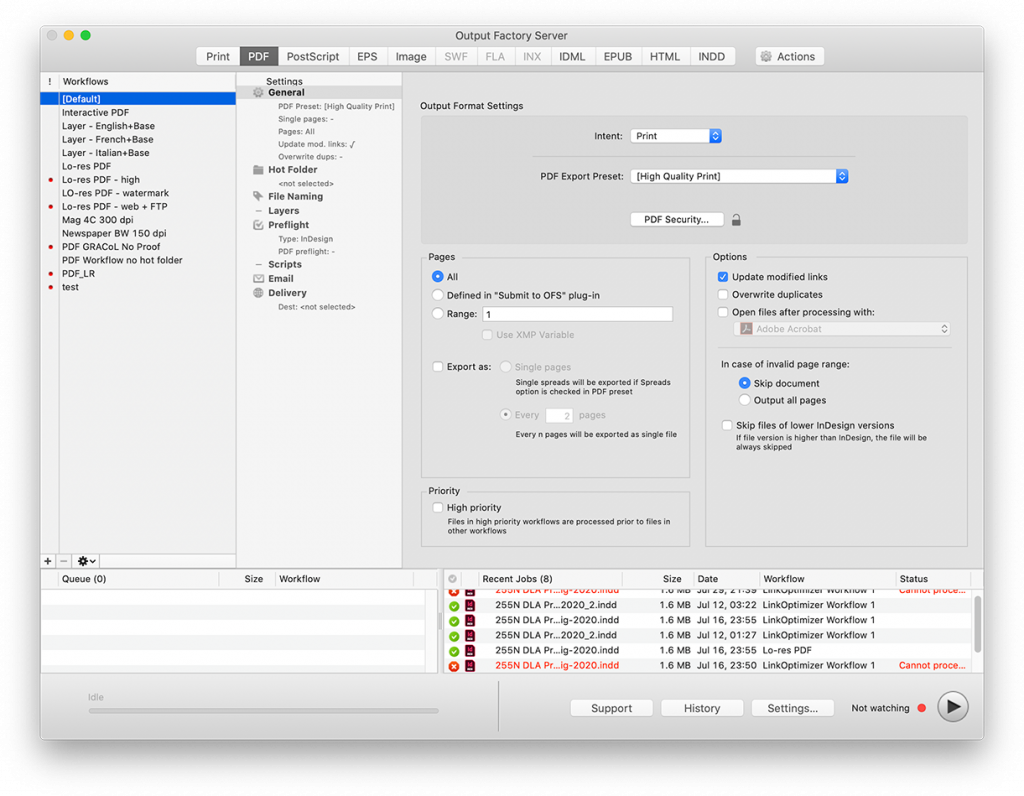
Print & export InDesign files from hot folders
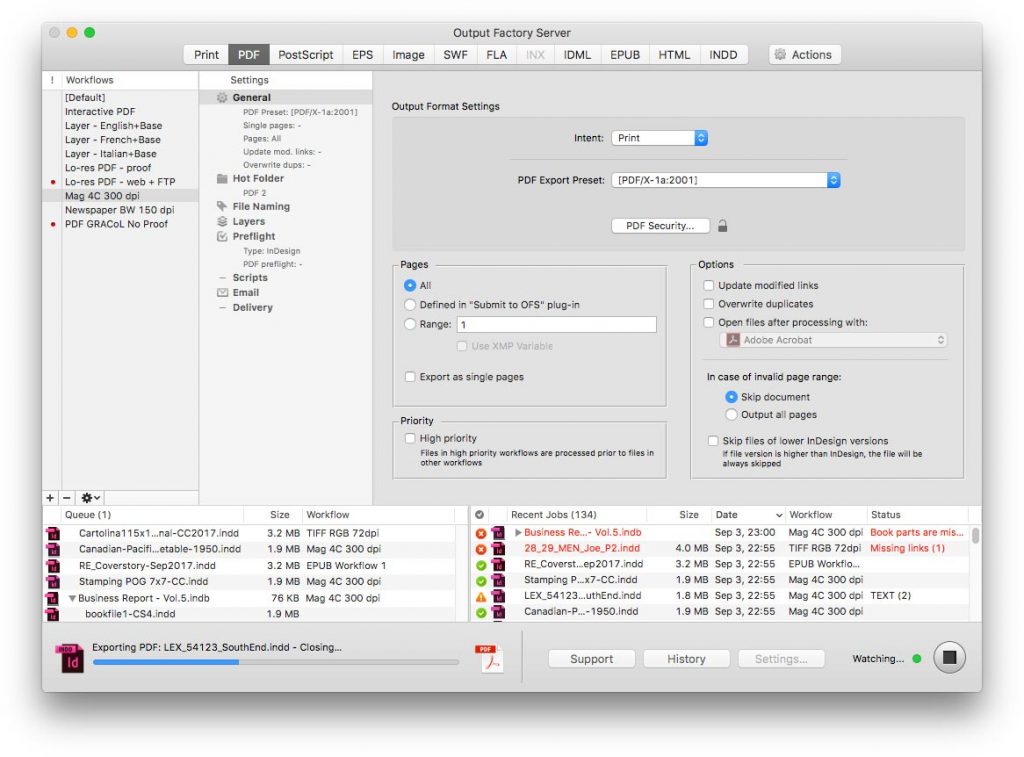
Print and export InDesign files automatically from watched hot folders. Output Factory Server can serve unlimited users on a network.
Create hot folders for various workflows such as hi-res PDF, laser printer, EPUB, LinkOptimizer etc. Users can submit single files, books, and collected jobs.
Combine LinkOptimizer processing with other formats. For example, process file with LinkOptimizer and then export the optimized file to PDF seamlessly from a single hot folder.
Time-saving output options
Export InDesign documents as single pages or every n pages. Update links automatically. Open files with selected app after processing. These are only a few of available options to streamline and simplify your everyday production workflow
All the formats you need
Output Factory supports printing and exporting to PDF, PostScript, EPS, IDML, HTML, EPUB, INDD, TIFF and other image formats.
email notifications
Get notified on what's important
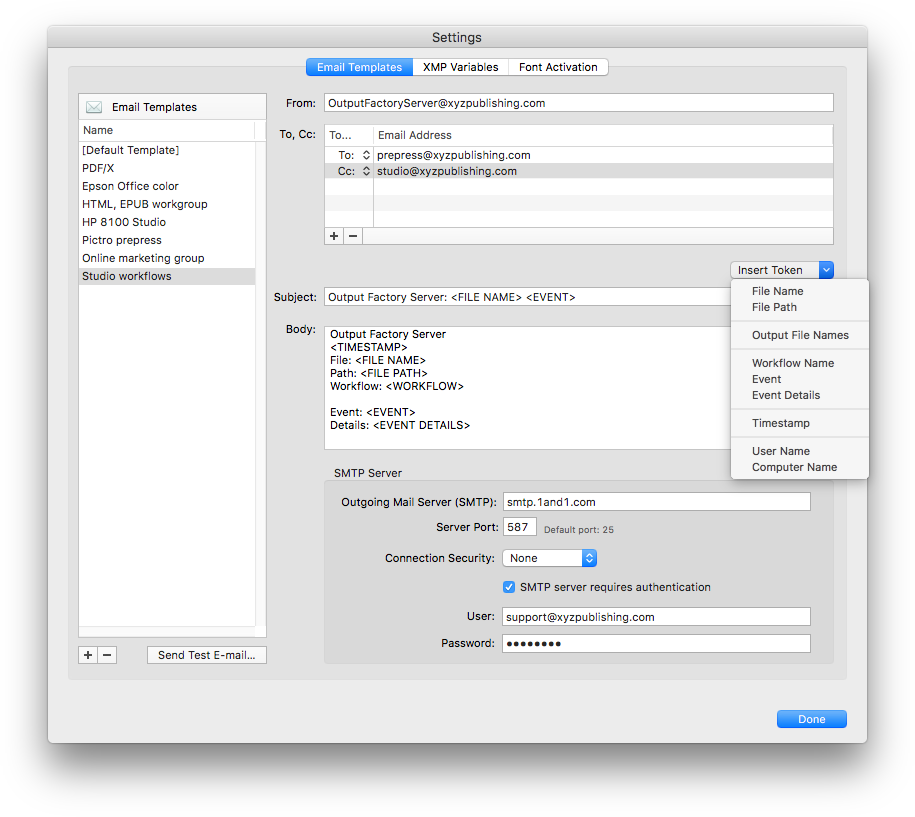
Output Factory Server can send automatic email notifications based on powerful variable templates. Notifications can be triggered by errors and other events.
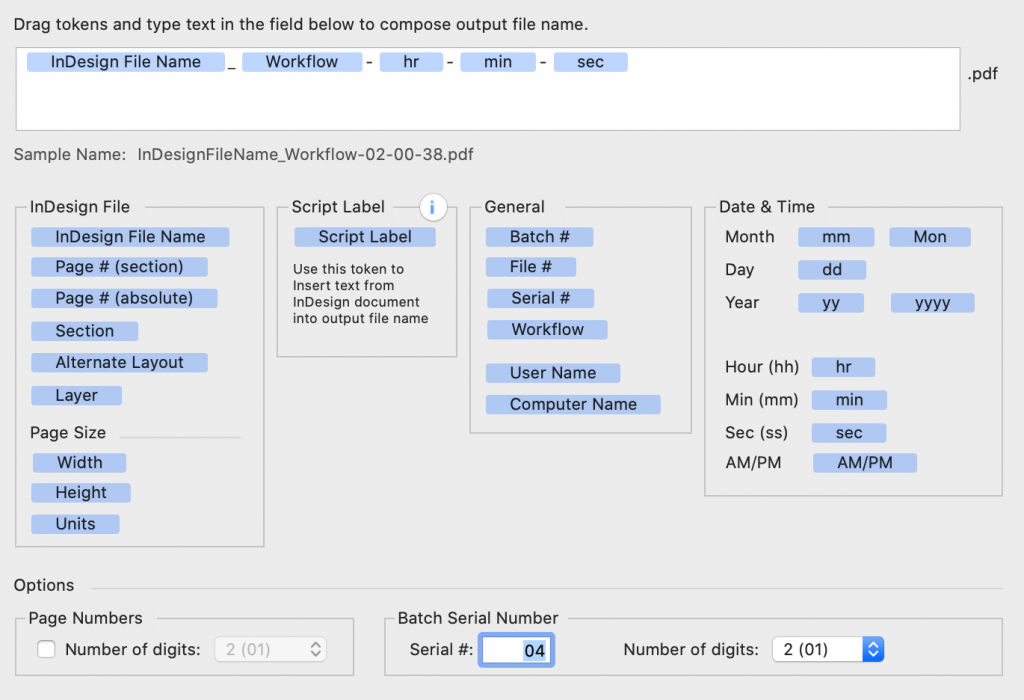
Output Factory offers unmatched abilities to create variable output file names based on page number, layers, date and other attributes. You can even insert text from your documents using the script label variable.
layer versioning
Create multiple versions automatically
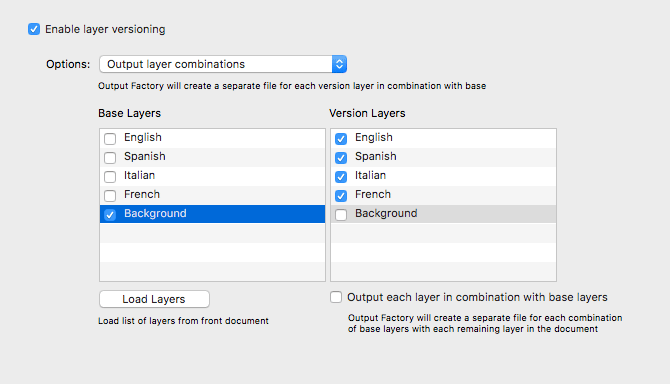
Output InDesign layers and their combinations as separate files automatically – an indispensable feature for multilingual documents and other projects with layered content.
preflight
Errors get caught before they become a client email
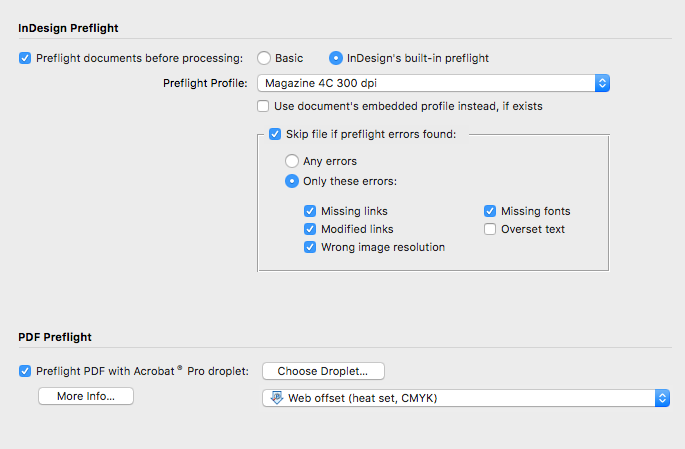
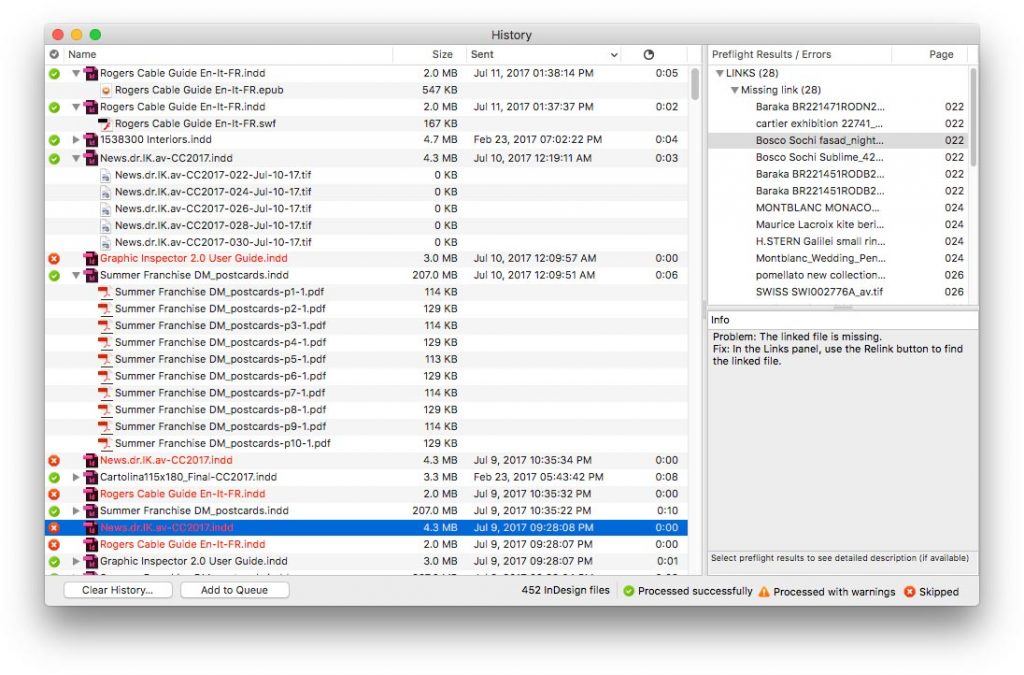
With Output Factory, output errors are a thing of the past. Thoroughly check files using InDesign’s preflight or Output Factory’s own options, and skip files with errors. Review errors in the History with their detailed description.
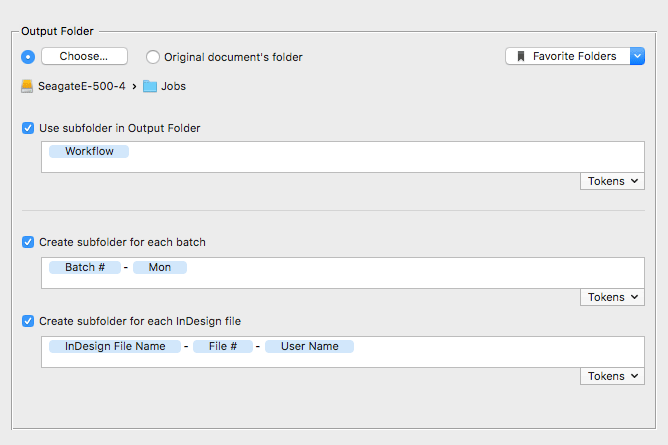
Easily manage output files by saving them in dynamically created subfolder tree with variable names.
custom scripts
Expand your workflow with near unlimited automation
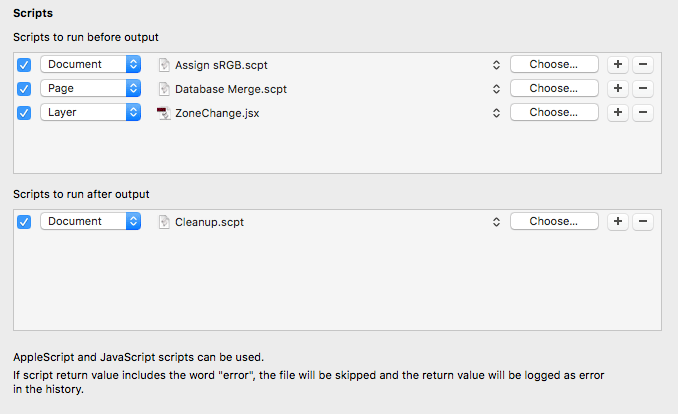
Run custom AppleScript and JavaScript scripts during processing. This new feature offers virtually unlimited possibilities to customize and further automate your workflows.
Output to multiple formats
from a single hot folder
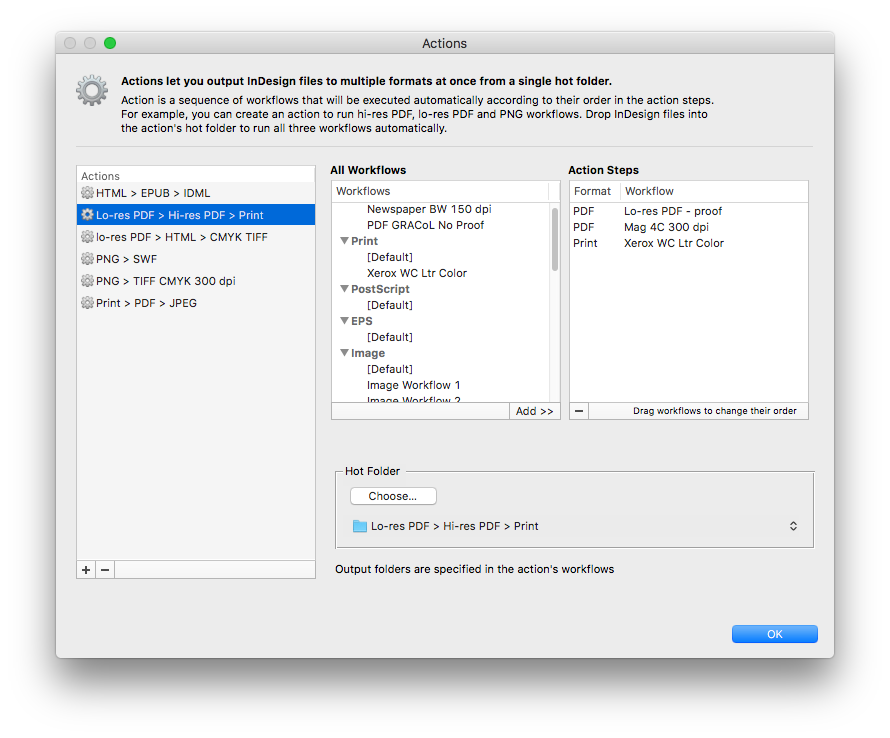
Create sequences of workflows to output InDesign files to multiple formats at once. For example, create an action to export files as hi-res PDF, lo-res PDF, and send them to a laser printer – all with just a click of a button.
history
Track every job, error, and output file
You can rely on Output Factory to track InDesign documents you sent to output along with the error log and the list of output files.
"Output Factory Server is an extremely useful utility for a busy production facility or advertising agency. It can save lots of time - which equates to money."
David Creamer
Adobe Layers Magazine
new license
Output Factory Server
$
699.95
One-time payment
Automate InDesign output with hot folder processing
Variable file names, layer versioning, preflight, custom scripts & much more