


BatchOutput

Automate printing and exporting from Adobe InDesign
(PDF, PostScript, EPS, JPEG, SWF, XFL, INX)

dl2

$11995 Save 10-20% on bundles
with other products


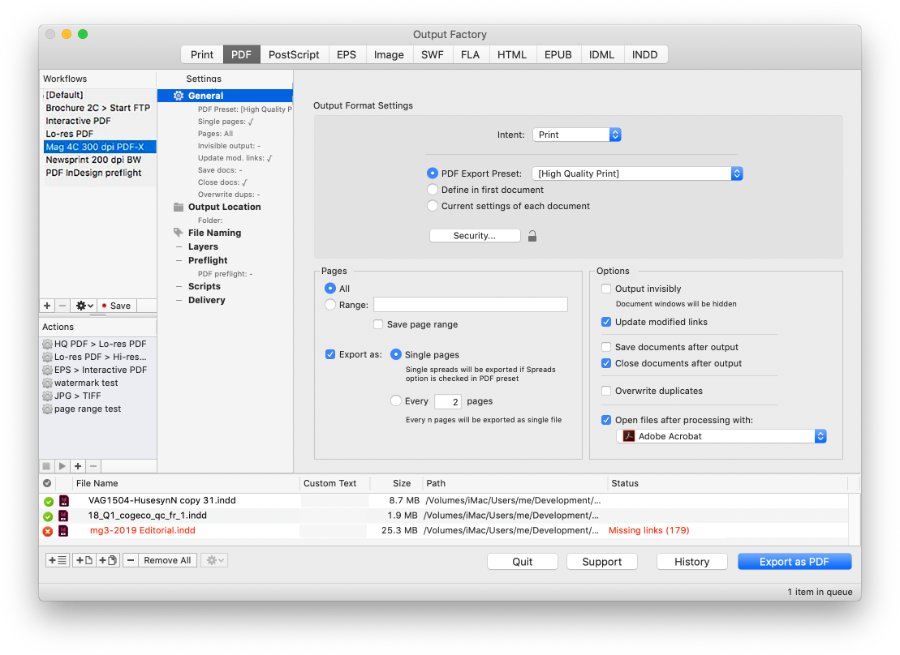
BatchOutput automatically prints and exports multiple and single InDesign documents to various formats. Just select the documents you need to output, adjust the settings, and BatchOutput will do the rest for you.

Screenshots

ip

lPrinting

lExport to PDF

lEPS Export Presets


MULTITASK

Let BatchOutput work Instead of you.

You can keep working with other programs while BatchOutput processes InDesign files in the background. Or let BatchOutput work while you're on a lunch break. Or leave it working overnight to output hundreds of documents - the job will be done when you return in the morning.


BatchOutput is not just a plug-in - it's a workflow solution that integrates fully with the Finder, doesn't limit your ability to manipulate InDesign documents when open, and delivers the power of a fully integrated InDesign plug-in combined with the flexibility of an independent application.


Features Overview

OUTPUT AUTOMATION

  • Print and export multiple and single documents.
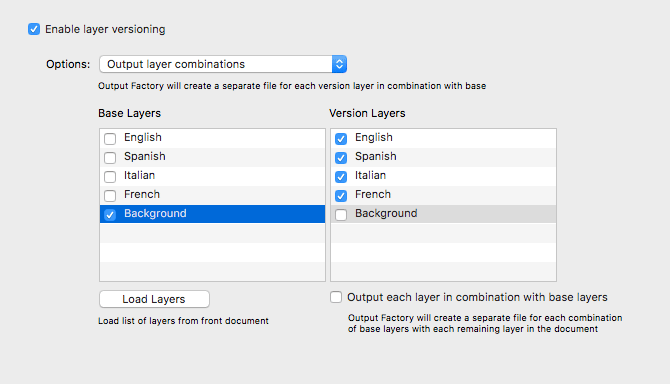
  • Output multipage documents as single pages.
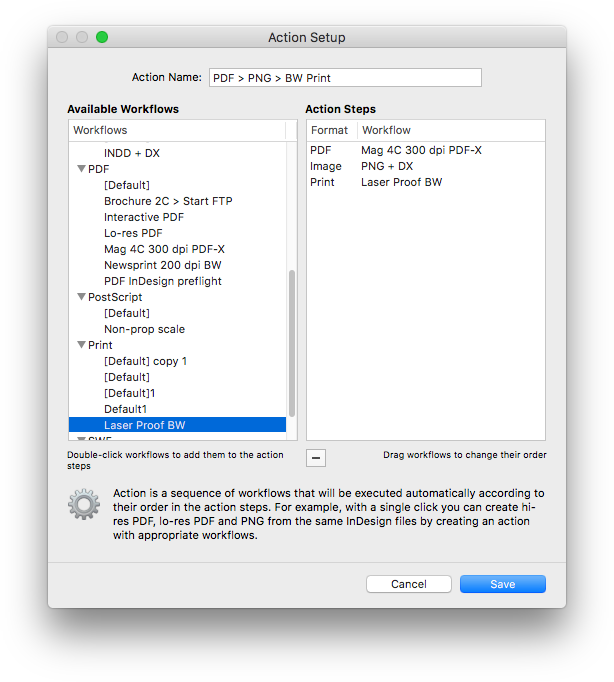
  • Use InDesign print and PDF presets.
  • Define custom output settings in the first document.
  • Built-in EPS export presets.
  • Change file name in printer queue.

PROCESSING

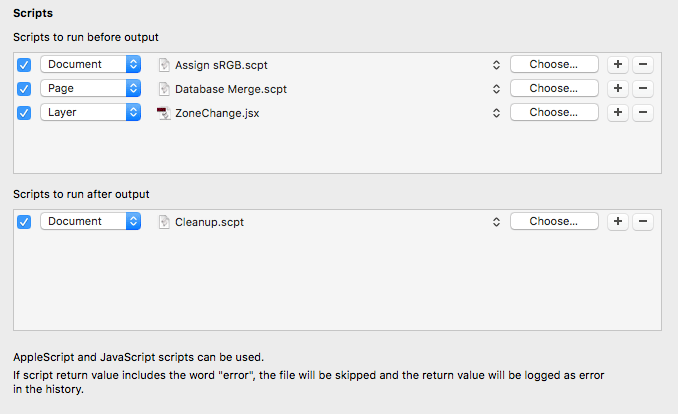
  • Update modified links automatically.
  • Output documents invisibly.
  • Output non-consecutive page ranges.
  • Save documents after output.

DESTINATION

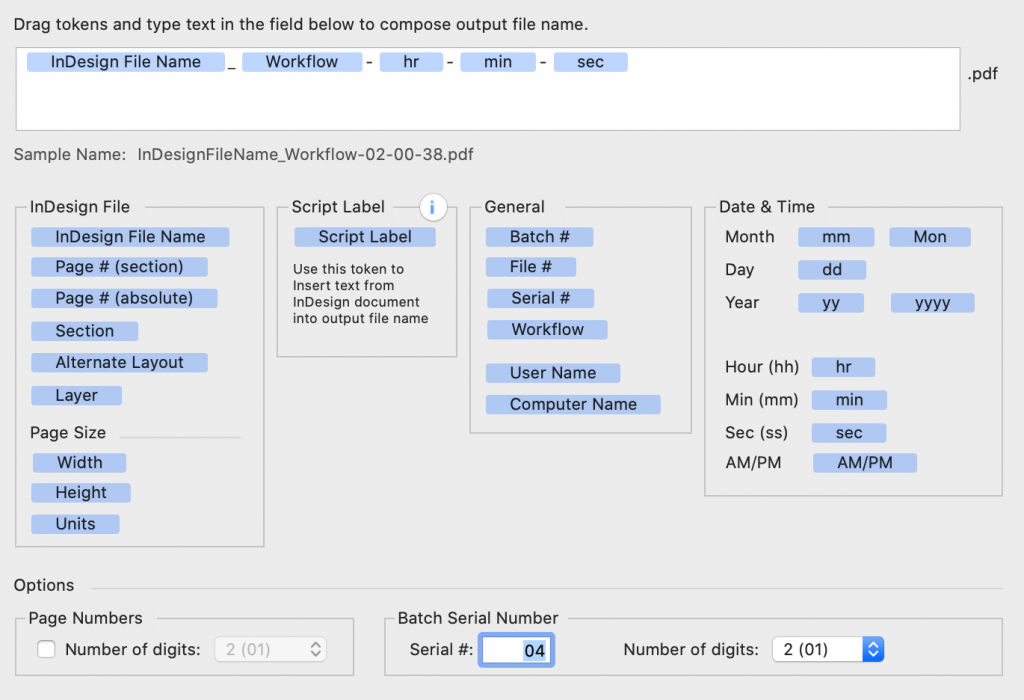
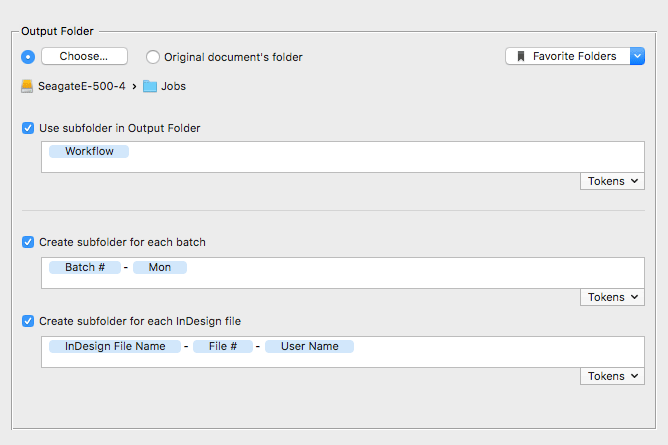
  • Variable output file names (see details).
  • Specify output folder or export to the same folder as InDesign document.
  • Favorite output folders.

INTEGRATION

  • Add files from system dialog or Finder.
  • Add front document or all open documents.
  • Open and reveal documents in Finder directly from BatchOutput.
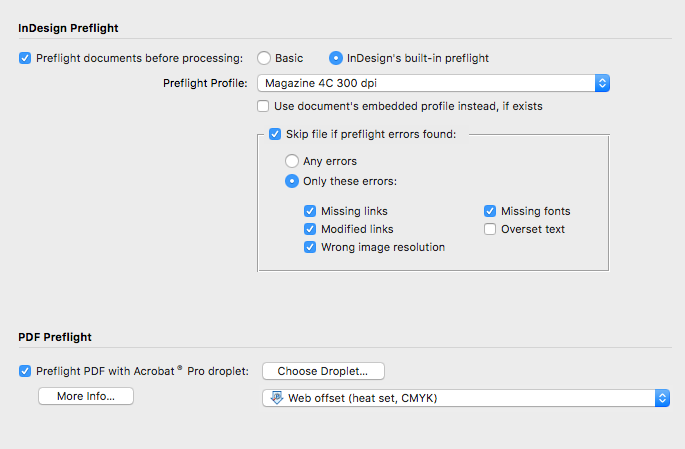
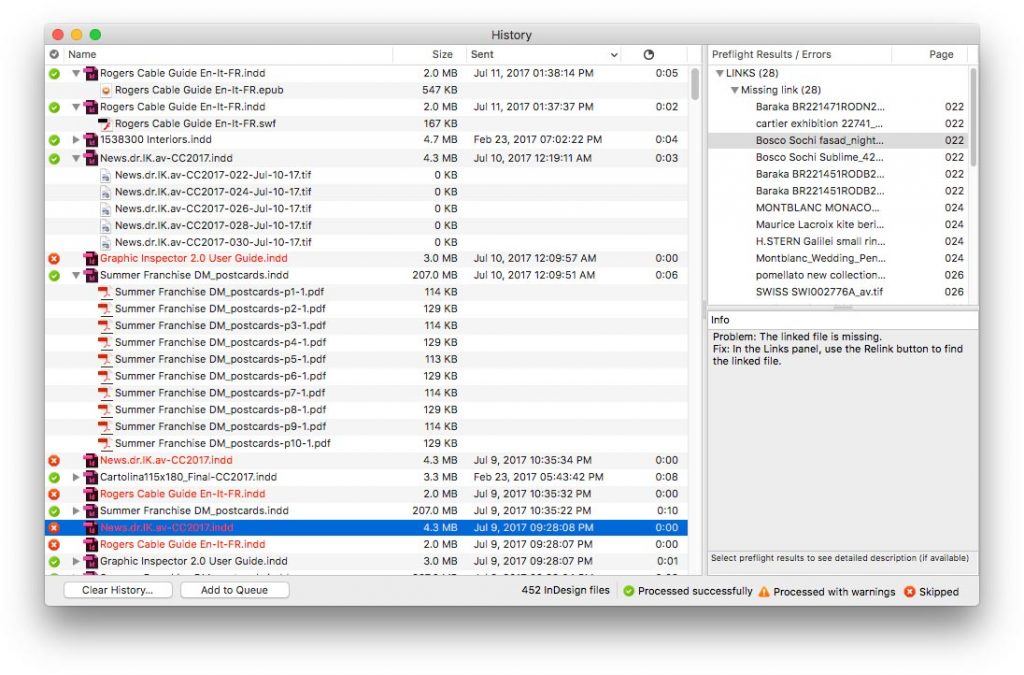
  • Detailed progress of the output process.

Variable Output File Names

BatchOutput offers you unmatched capabilities to create variable file names, making it equally indispensable for output of both multiple and single documents. You can compose output file names of up to six parts. You can choose from ten variables to assign to each part:

Variable Details
Custom text Any custom text
InDesign file name  
Script Label This exclusive feature allows you to insert any text from the document into the output file name
Page number (absolute)
Page number (section) Page number as per document section division (e.g. "Intro 1")
Serial number Batch serial number set automatically in BatchOutput
Year Two last digits (08)
Current day
Month (as two digits) (e.g. 02)
Month (first three letters) (e.g. Mar)


System Requirements

• Adobe InDesign CS-CS4
• Mac OS X 10.4.2-10.6


u Version Control

u Upgrade:

BatchOutput 1-2 > 3.x:

$47.98


u Update:

BatchOutput 3.x > latest version (free)


Bookmark and Share


The complete automation hooked me — BatchOutput lets you work after hours without lifting a finger.

Tami Stodghill
layers | Read article


Users Say...
.................................

"I love BatchOutput, doesn't everyone need it?"

Benjamin Darling,

LaughingElephant.com


"It's bulletproof and absolutely essential,
like all of your tools."

Nail Jacobson,

Art Director,
Draftfcb, New York


"Thank you for the fantastic software that has increased my production no-end!"

Henri McMullan,
Catalogue Design Manager
Webb Ivory DM Limited


"Great product, saves me tons of time on multi-document scenarios."

Scott Lalonde,
InDesignPro.com


"This software is a huge timesaver for me!..
I recommend this software to anyone in graphic design. It's just that fantastic.

Daniel Colish,

Bill Smith Studio, New York


"Awesome app!.. It's saved me serious time."

JQ Spiller,

JQ Creative


"I love the software!
It's perfect for my line of work."

Phillip R. Brown,

Graphic Designer

Nashville TN


"I am looking forward to include this great app into my workflow..."

Lars Hedemann,

Graphic Designer,
TC Electronic


© 2006-2009 Zevrix Solutions. All rights reserved.
About Us Products Store Contact Us