BatchOutput Office Suite

for Microsoft Office

Batch Print & PDF Export for Office

Automate document printing & PDF export • Microsoft Word, Excel & PowerPoint • Variable file names • Single-page PDFs • Security & encryption

Microsoft Word icon
Microsoft Excel icon
Microsoft PowerPoint icon

Microsoft 365 / Office 2011 and later

macOS 10.9 – 26 (Tahoe)

Automate printing and PDF creation in Word, Excel, and PowerPoint. Supports variable file names, single-page exports, PDF security, and more.

BatchOutput Office Suite delivers powerful, professional PDF export and printing options for Microsoft Office users. Just select your files, choose your settings, and let BatchOutput handle the rest automatically—process hundreds of documents overnight and pick up the finished files in the morning.

BatchOutput Office includes three targeted apps: BatchOutput DOC (Word), BatchOutput XLS (Excel), and BatchOutput PPT (PowerPoint).

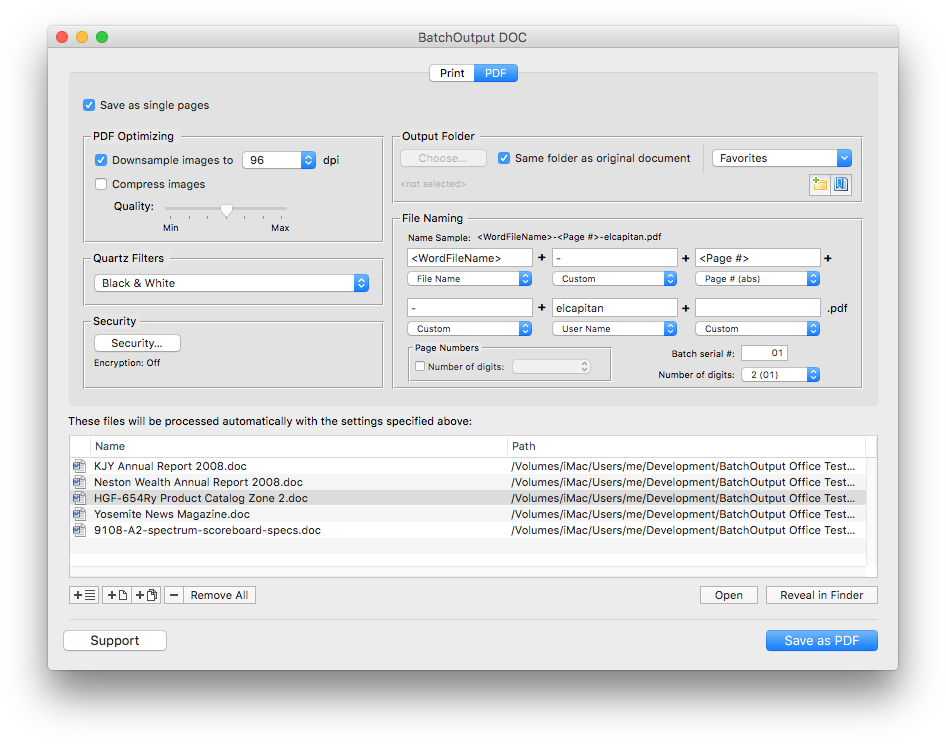
BatchOutput DOC for Microsoft Word: PDF export settings

Batch print and export to PDF

Print and export multiple files to PDF from Microsoft Word, Excel and PowerPoint with just a click of a button. Save many hours of unproductive manual output.

Time-saving professional PDF export options

Whether you need to convert hundreds of documents to PDF or just a single one, BatchOutput Office brings professional PDF output options right to your fingertips.

Save as single pages

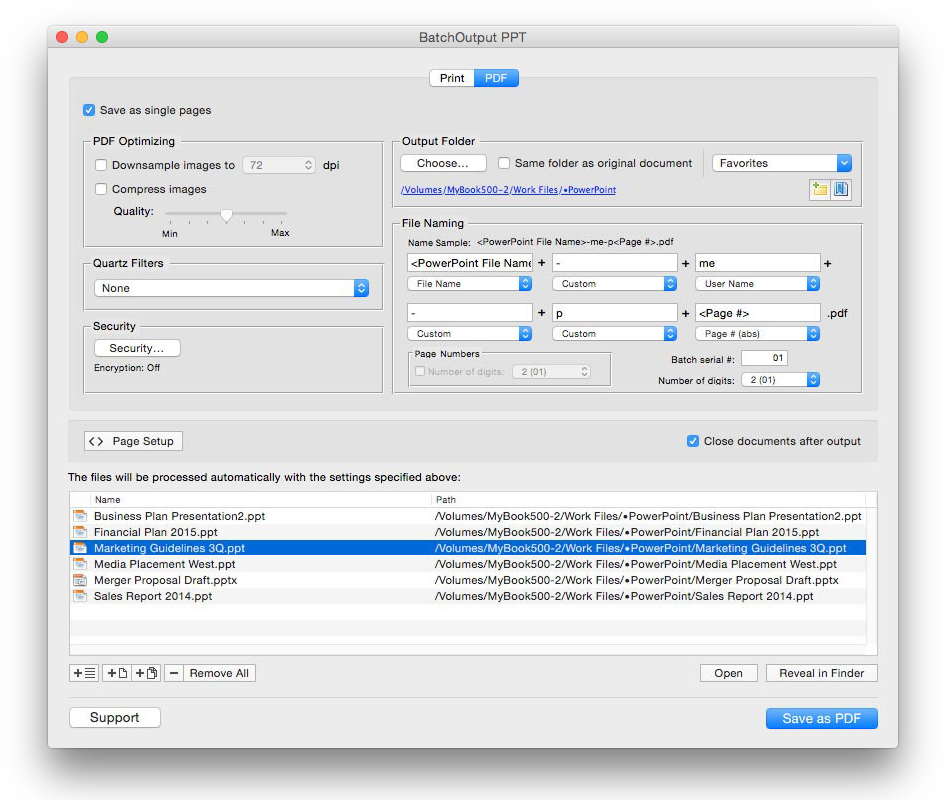
Split Word and PowerPoint documents into single page PDF files automatically.

Variable PDF file names

Name PDF files automatically using variables such as page number, user name, current date, and other attributes.

Optimize PDF size and resolution

Reduce PDF size dramatically and optimize PDF for web, print, and on-screen viewing using BatchOutput’s precise controls. You can also apply versatile Quartz filters to change PDF color tone, brightness, and other qualities.

Protect and encrypt PDF files

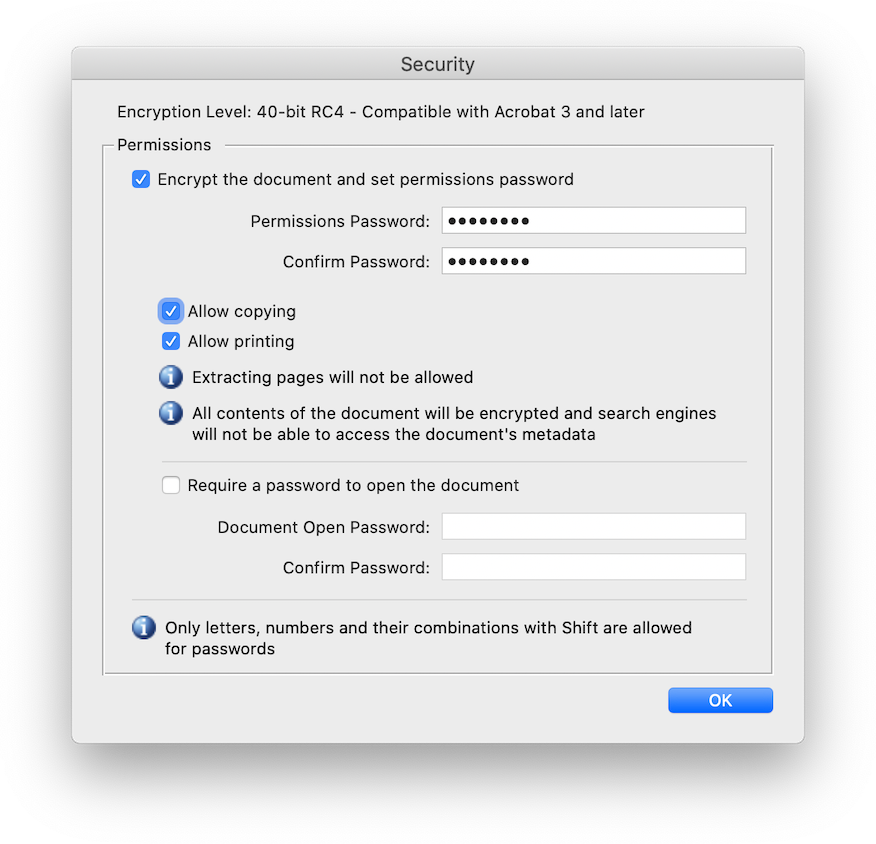
Protect your PDF files on different security levels. You can encrypt PDF and password-protect it from unauthorized copying, printing, and viewing.

BatchOutput PPT for Microsoft PowerPoint: PDF export settings
BatchOutput Office for Microsoft Office: PDF security settings

Automate Office printing tasks

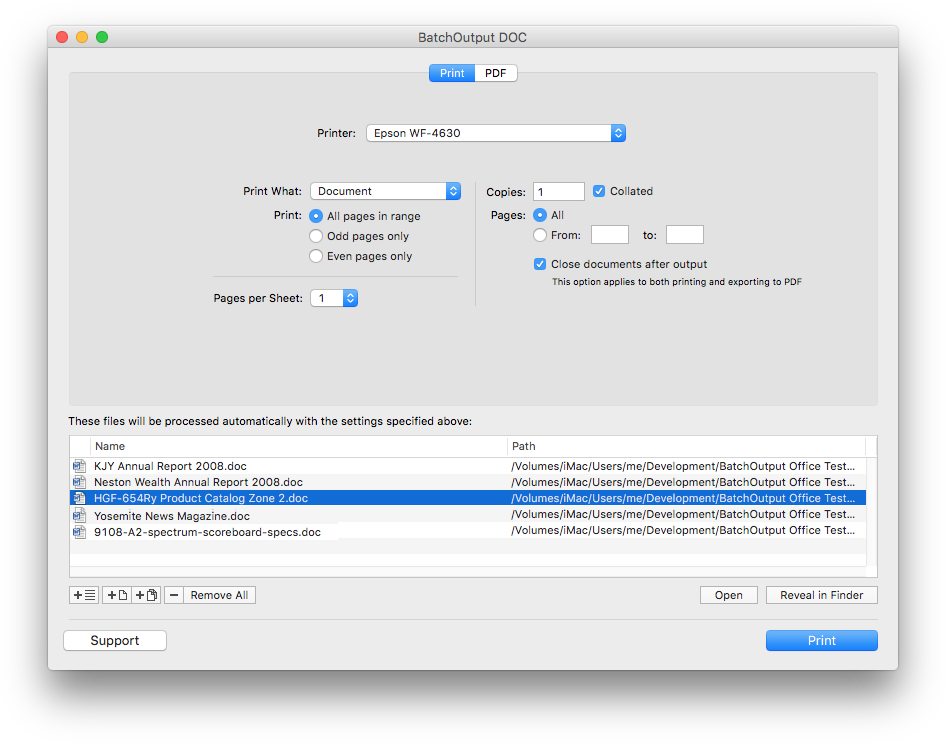
BatchOutput DOC for Microsoft Word: Print settings

Hands-free printing

Output hundreds of Office documents with a click of a button. Just add files to the queue, adjust settings and press Print.

"BatchOutput DOC has been a very useful and timesaving tool to convert massive amounts of Word documents to PDF for the courses that I teach."
Ronald Bellamy
Edmonton, Canada
"I have enjoyed BatchOutput XLS for years now. It has really been a huge help for me to process hundreds of Excel documents into various PDF reports."
Steve Nelson Martin
New Hope Foundation, Beijing, China

purchase options

You can purchase each app separately—or order all three as a bundle for the price of two.

BatchOutput DOC

for Microsoft Word
$ 19
95
One-time payment
  •  

BatchOutput XLS

for Microsoft Excel
$ 19
95
One-time payment
  •  

BatchOutput PPT

for Microsoft PowerPoint
$ 19
95
One-time payment
  •  

BatchOutput Office Suite

for Microsoft Word, Excel & PowerPoint
$ 53
86
One-time payment
  • Suite discount: Get all three apps for the price of two

SAVE 33%

For Sales Queries & Product Support