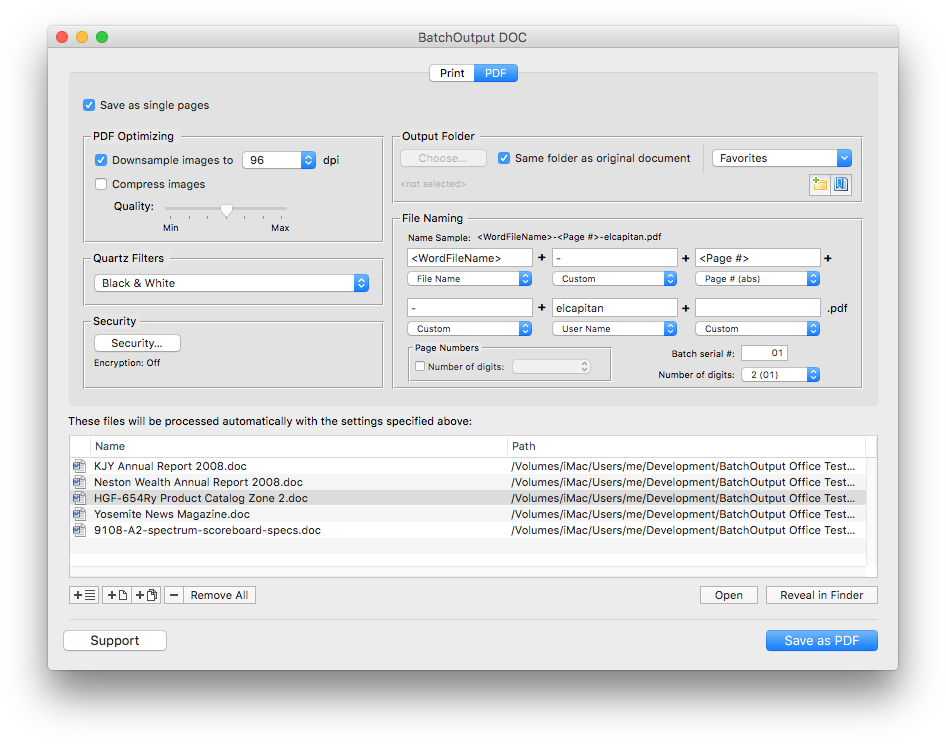
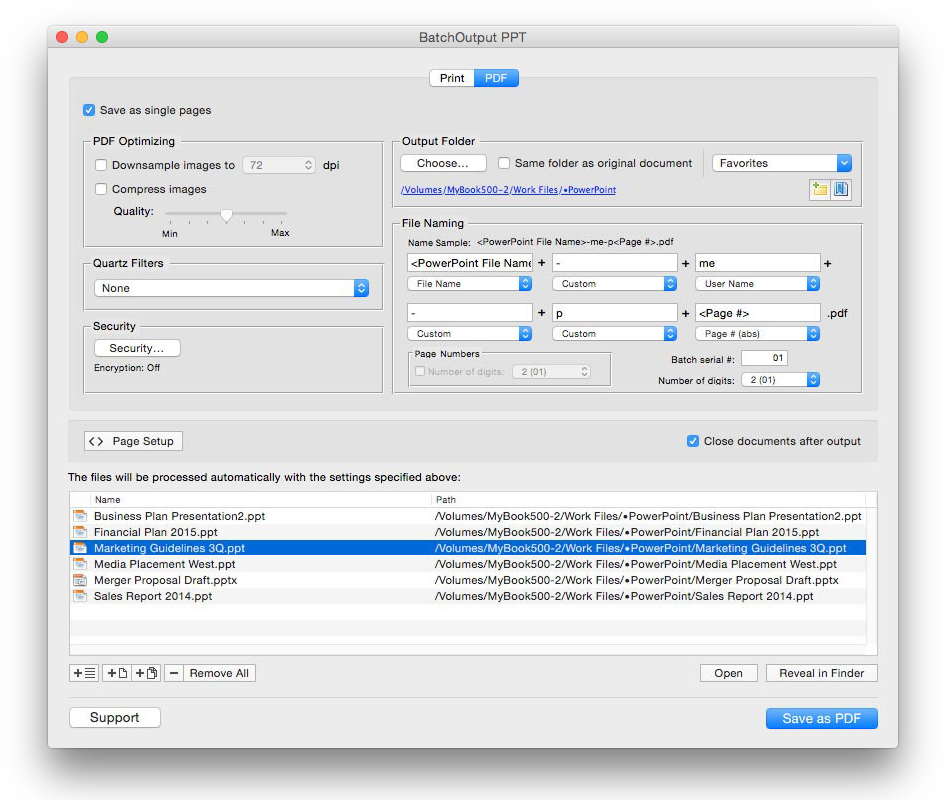
BatchOutput DOC automates PDF production and printing from Microsoft Word, and offers powerful professional PDF output options to the Word users. With BatchOutput DOC, users only need to select the files and adjust the output settings, and BatchOutput will do the rest automatically. For example, BatchOutput can be left to process hundreds of Word files overnight, and the completed job can be picked up next morning.
View screenshot
Professional PDF Output from Word
- SAVE AS SINGLE PAGES
Split Word documents into single page PDF files automatically.

- VARIABLE FILE NAMES
Compose variable file names based on page number, user name, current date and other variables.

- FAVORITE OUTPUT FOLDERS
Choose output folder and store them in Favorites for instant access.

- OPTIMIZE PDF SIZE AND RESOLUTION
Reduce PDF size dramatically and optimize PDF for various purposes such as web, print and on-screen viewing using BatchOutput DOC's precise controls. You can also apply versatile Quartz filters to change PDF color tone, brightness and other qualities.

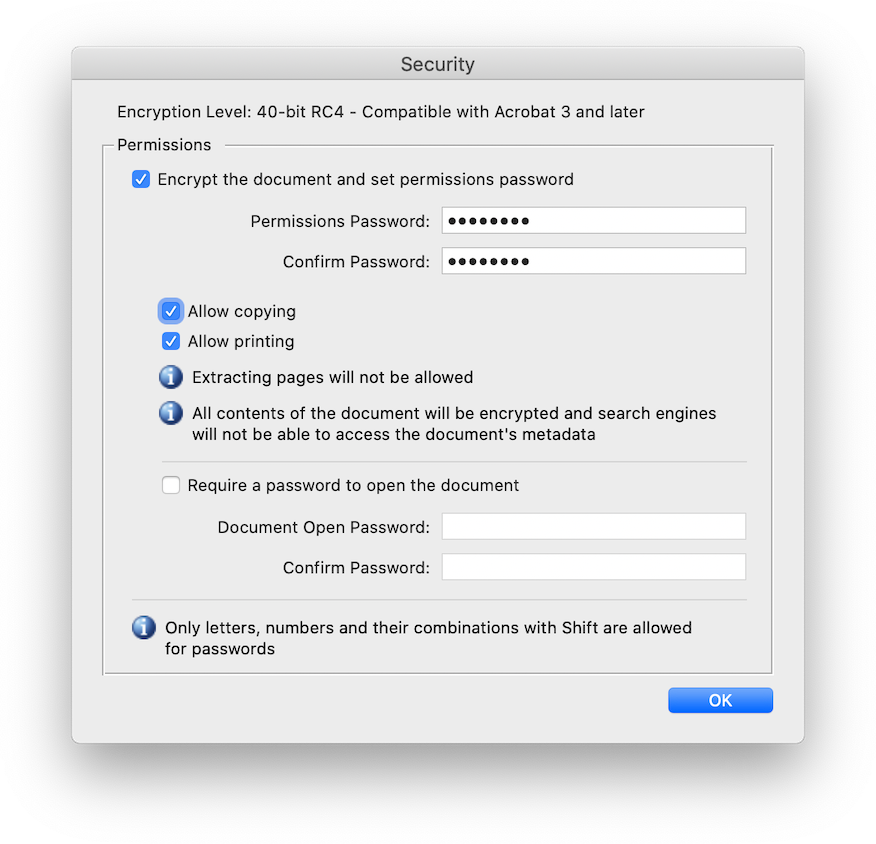
- PROTECT PDF WITH PASSWORDS
Protect your PDF files on different security levels. You can encrypt PDF and password-protect it from unauthorized copying, printing and viewing.

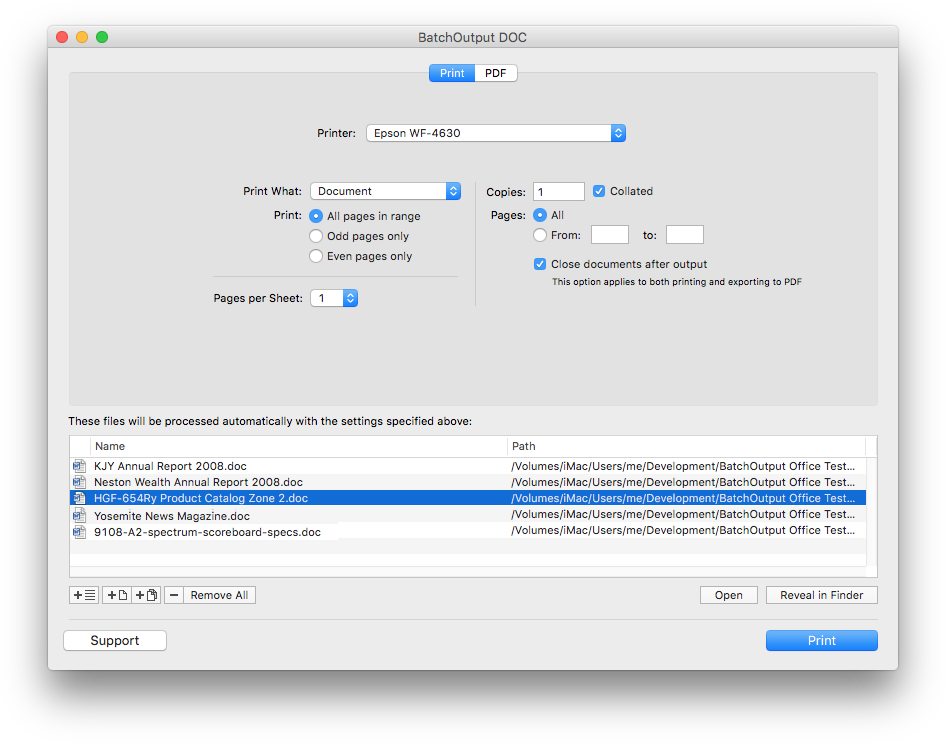
Printing Controls
- AUTOMATE PRINTING
Just add documents to the BatchOutput DOC's list and click the Print button - BatchOutput will print them automatically, whether it's a few documents or hundreds of them.